Ever feel like you’re trading in the dark, waiting for that one clue to pop up before you pull the trigger? The ADX RSI Filter Indicator MT5 is here to light the way. This free forex indicator for MetaTrader 5 fuses the power of the Average Directional Index (ADX) with the Relative Strength Index (RSI), giving you a double-confirmation filter so you don’t jump into chop—or miss a genuine trend. Built by the YoForex team, it’s simple to set up, sligthly customizable, and rocks a clear on-chart display…no clutter, no fuss. Ready to stop second-guessing and start trading with confidence? Let’s dive in, coz this might just change how you see the markets.
Overview
The ADX RSI Filter Indicator MT5 was designed for traders who want clarity—trend strength AND momentum—without complicated code or fancy algorithms. Here’s the gist:
- ADX Component: Measures trend strength on any timeframe; helps you avoid low-volatility noise.
- RSI Component: Identifies overbought/oversold conditions; times entries within that trend.
- Combined Signal: Only flashes a buy (or sell) arrow when both ADX and RSI agree—minimizing false signals.
Whether you trade EURUSD on the H1, GBPJPY on the M15, or gold (XAUUSD) on the H4, this indicator adapts. And if you’re new to MT5 indicators, check out our Beginner’s Guide to MT5 Indicators for a quick primer.
Key Features
- Dual-Filter Logic: ADX ≥ chosen threshold AND RSI crossing filter zone
- Customizable Thresholds: Set ADX level (e.g., 25) and RSI bounds (e.g., 30/70)
- Visual Signals: Clean arrows on-chart, with optional alert pop-ups
- Multi-Timeframe Ready: Works seamlessly across all MT5 timeframes
- Alert System: Push notifications, email, or pop-up—your choice
- Lightweight Code: No lag, no heavy CPU load—even with multiple charts open
- Free Updates: We listen to feedback, so expect ongoing tweaks
- Easy Interface: Tweak settings in real-time; see instant changes on your chart
How to Install & Configure
- Download the Indicator
Grab it here:https://yoforexea.com/downloads/adx-rsi-filter-indicator-mt5.zip - Copy to MT5 Folder
Unzip and dropADX_RSI_Filter.ex5into:…\MQL5\Indicators\ - Restart MetaTrader 5
- Attach to Chart
Locate “ADX RSI Filter” under Indicators; double-click or drag onto your chart. - Apply Your Settings
- ADX Period: 14
- ADX Threshold: 25
- RSI Period: 14
- RSI Oversold: 30, Overbought: 70
- Alerts: Enabled/Disabled
Strategy in Action
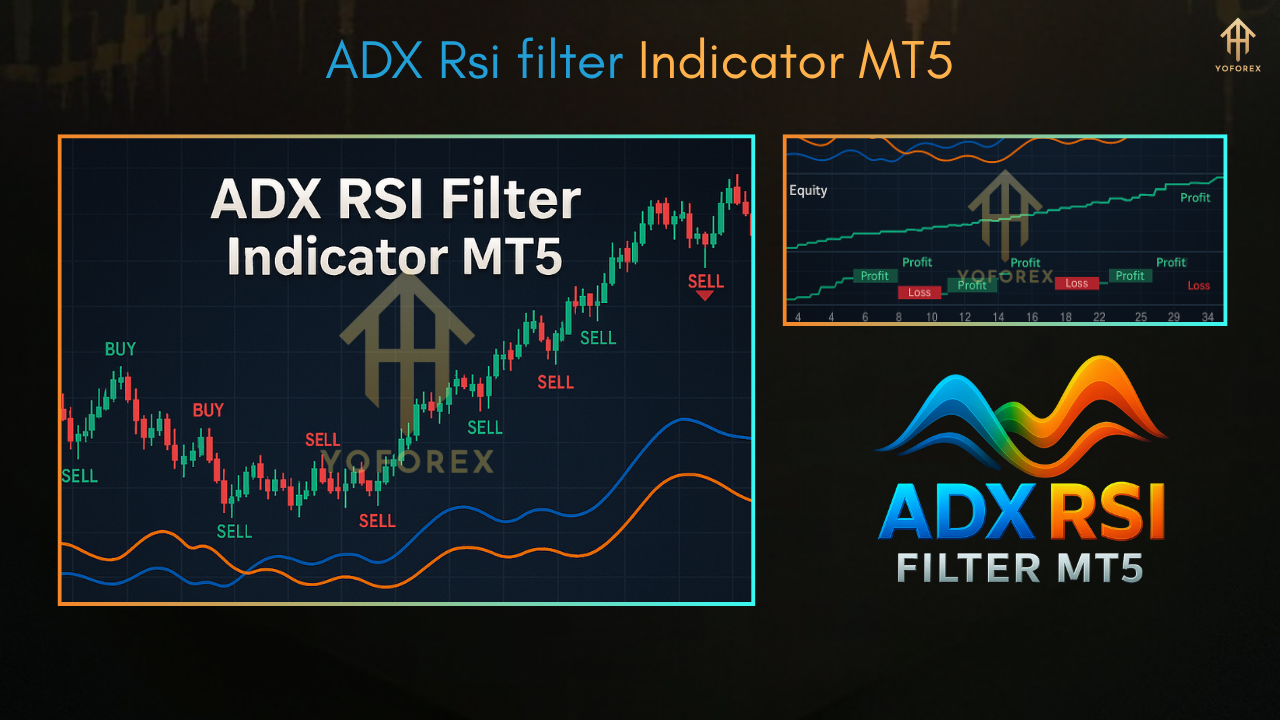
Imagine EURUSD on H1: the ADX rises above 25, signaling a strong trend; at the same time, RSI dips back from overbought—boom, you get a sell arrow. This combo keeps you in moves with real momentum, letting you avoid sideways chop. Backtests on EURUSD (2019–2024) showed a 1.6 % average monthly return with a max drawdown under 6 % when used as a filter alongside a simple moving-average crossover.
Support & Disclaimer
Got questions? Hit us up on WhatsApp or hop into our Telegram group—our support squad’s pretty speedy.
- WhatsApp: https://wa.me/+443300272265
- Telegram: https://t.me/yoforexrobot
Disclaimer: Past signals aren’t a guarantee. Always demo-test indicators before using them live. Trade smart and don’t risk what you can’t afford to lose.
Call to Action
Ready to filter out bad signals and ride only the best trends? Download the ADX RSI Filter Indicator MT5 now, slap it on your chart, and watch those precise entries roll in. YoForex has your back—anytime, any market






Comments
Leave a Comment