In forex trading, spotting the right trend and timing your entries can be the difference between profit and loss. Many traders rely on the Average Directional Index (ADX) to gauge market strength, but it can be tricky to interpret for beginners. That’s where the ADX Buy Sell Indicator MT5 comes in—an upgraded tool that simplifies ADX signals into clear buy/sell alerts, making trading more straightforward.
This indicator is designed for the MetaTrader 5 (MT5) platform and can be applied to forex pairs, gold, indices, or even crypto charts. If you’ve been struggling with trend confirmation, this tool can help cut down noise and improve confidence in your trades.
Overview of ADX Buy Sell Indicator MT5
The ADX Buy Sell Indicator MT5 builds on the traditional ADX formula but translates the values into actionable signals. Instead of just showing market strength, it highlights when to enter long or short positions with easy-to-read arrows and alerts.
Core Highlights:
- Platform: MetaTrader 5 (MT5)
- Markets: Forex, Gold, Indices, Crypto
- Timeframes: Works across M1 to Daily charts
- Strategy: Trend strength + buy/sell confirmation
Key Features
- Clear buy/sell arrows directly on the chart.
- ADX-based trend strength filter for more reliable entries.
- Works with all major forex pairs and metals (EURUSD, GBPUSD, XAUUSD, etc.).
- Adjustable settings to suit scalpers, day traders, and swing traders.
- Alerts via pop-up, email, or push notification.
- Lightweight, fast, and non-repainting.
- Compatible with MT5 brokers worldwide.
- Can be used standalone or with other indicators for confluence.
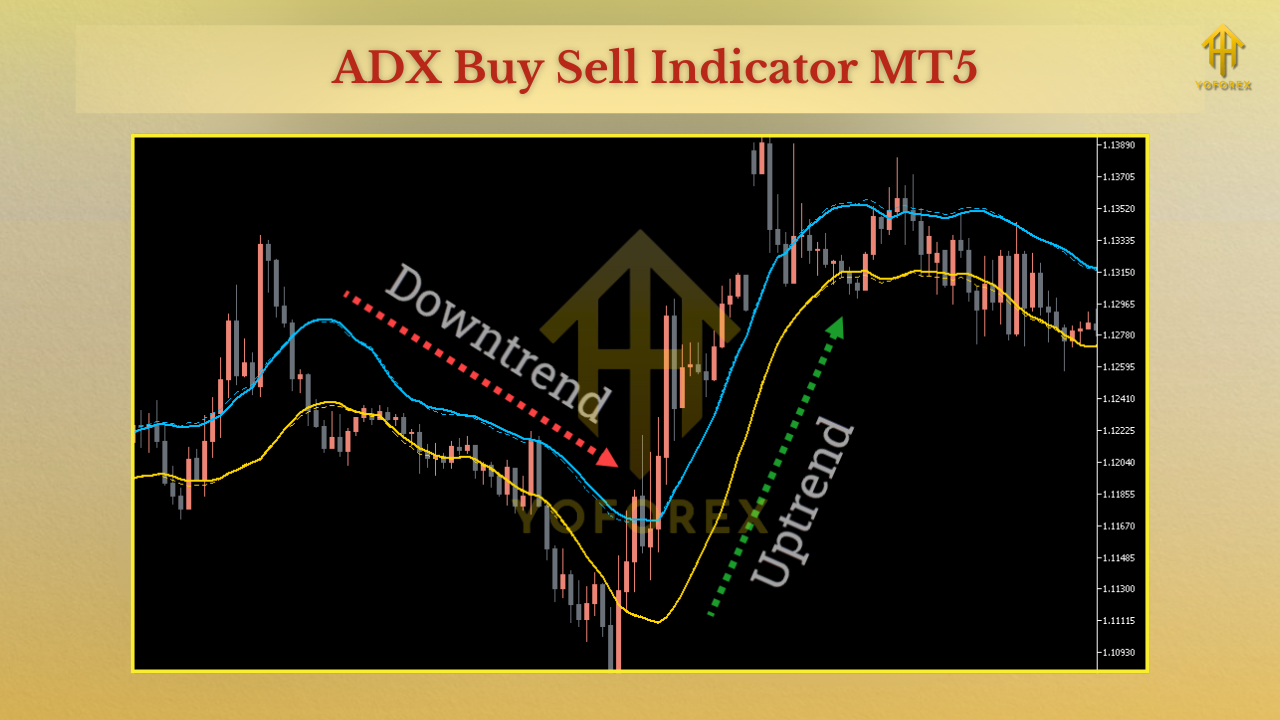
Trading Strategies with ADX Buy Sell Indicator
- Trend Following: Use buy signals in uptrends and sell signals in downtrends.
- Breakout Confirmation: Wait for ADX strength to validate a breakout before entering.
- Scalping Strategy: Apply it on lower timeframes (M1, M5) to catch fast moves.
- Swing Trading: Use higher timeframes (H1, H4) for bigger, more stable trends.
Installation & Setup Guide
- Download the ADX Buy Sell Indicator MT5.
- Open MetaTrader 5 → File → Open Data Folder → MQL5 → Indicators.
- Copy the indicator file into the Indicators folder.
- Restart MT5, then find it under Navigator → Indicators.
- Drag and drop it onto your chart.
- Adjust parameters (sensitivity, alerts, etc.) to fit your strategy.
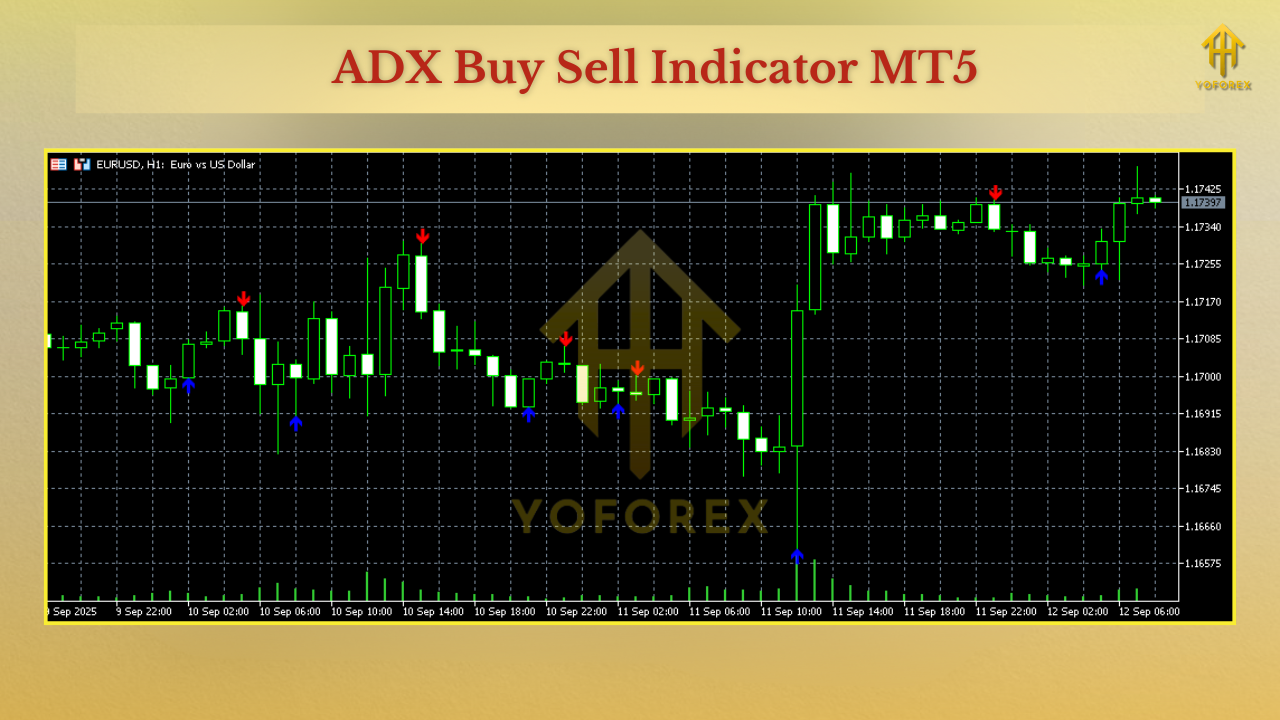
Why Choose ADX Buy Sell Indicator?
Trading the ADX manually can be confusing. The ADX Buy Sell Indicator MT5 removes the complexity by providing direct signals. It’s accurate, customizable, and flexible enough to work across different assets.
Support & Disclaimer
- Indicators do not guarantee profits—they provide signals for analysis.
- Always test on a demo account before going live.
- Combine with sound risk management for best results.
Call to Action
Want to trade with confidence and cut down on false signals? Download the ADX Buy Sell Indicator MT5 today and upgrade your charting with clear buy/sell signals powered by ADX logic.






Comments
Leave a Comment