
Advanced Gold Sniper EA V1.8 MT4: Laser-Focused Gold Scalping on MetaTrader 4
Gold scalping on XAUUSD is one of the most intense yet potentially rewarding strategies in forex trading. Rapid price swings, narrow profit windows, and the constant pressure of manual execution can leave even seasoned traders exhausted and prone to errors. Enter Advanced Gold Sniper EA V1.8 MT4, a purpose‑built Expert Advisor engineered to handle the precision and speed required for high‑frequency gold scalping. Whether you’re juggling multiple trading duties or just getting started on a demo account, this EA promises to take the grunt work off your plate, delivering sniper‑like entries, dynamic exits, and robust risk controls—so you can focus on optimizing results instead of babysitting every tick.
What Is Advanced Gold Sniper EA V1.8 MT4?
Advanced Gold Sniper EA V1.8 MT4 is an automated trading robot designed exclusively for the MetaTrader 4 platform, optimized for the XAUUSD (Gold/USD) pair. Its underlying architecture blends multiple analytical approaches to identify and capitalize on fleeting volatility spikes:
- Real‑time momentum analysis: Continuously measures the strength of price movements to pinpoint when gold’s volatility is about to surge.
- Micro‑trend detection: Uses high‑resolution trend filters on M1 and M5 charts to confirm that short‑term price swings align with overall direction.
- Price‑action triggers: Waits for specific candlestick patterns and support/resistance interactions before firing orders.
- Exit refinement: Implements dynamic take‑profit and trailing‑stop algorithms that adjust to current market structure, rather than fixed pip distances.
In essence, the EA behaves like a disciplined sniper—waiting for the optimal moment, executing with minimal error, and managing every trade according to stringent risk parameters.
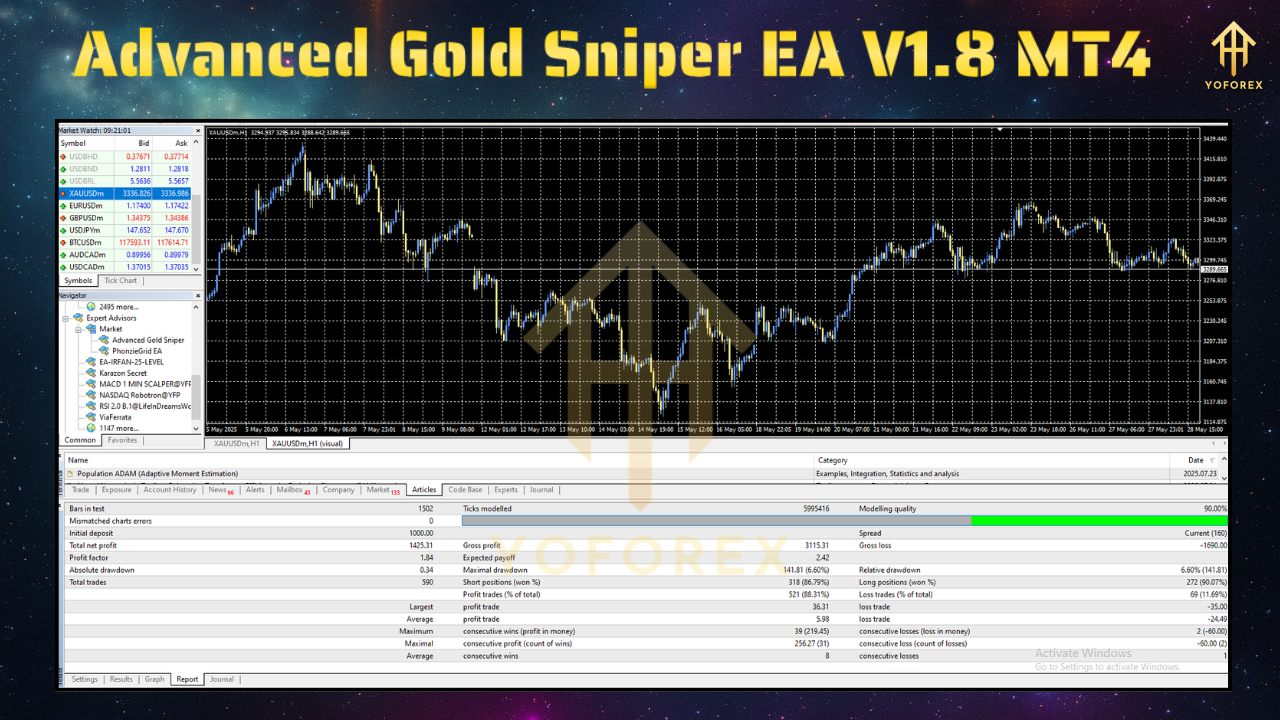
Core Strategy and Logic
Unlike generic grid or martingale bots, Advanced Gold Sniper EA employs a hybrid logic strategy that avoids excessive risk accumulation. Its workflow:
Signal Generation
Scans M1 and M5 timeframes for momentum divergences and breakout patterns.
Verifies entries against a configurable volatility threshold to avoid choppy market noise.
Order Execution
Sends market orders with customizable slippage tolerance and order comment tags.
Automatically calculates lot size based on user‑defined risk percentage of account equity.
Trade Management
Applies a dynamic take‑profit that scales with the current Average True Range (ATR).
Activates trailing stops once trades reach a certain profit threshold.
Monitors overall equity and halts trading if a daily drawdown limit is breached.
Advanced Filters
News avoidance: Optional pause around high‑impact economic events.
Time filters: Restricts trading to sessions with historically higher gold liquidity (e.g., London–New York overlap).
Equity protection: Stops all trading once a preset drawdown percentage is hit.
This multi‑layered approach aims to capture quick, high‑probability moves while safeguarding your capital against market whipsaws.
Key Features
- Precision Entries
Targets micro‑volatility spikes on M1/M5 charts for tight, disciplined scalping. - Dynamic SL/TP Logic
Uses ATR‑based take‑profit and adaptive trailing stops to lock in gains. - Risk Management
Built‑in equity protection, daily drawdown limits, and single‑trade execution (no martingale). - Customizable Settings
Adjust entry sensitivity, slippage tolerance, session filters, and trade hours. - Low Resource Usage
Lightweight code that maintains MT4 performance even during high‑frequency trading. - 24/5 Operation
Designed to run continuously across all major sessions, with peak performance during London/NY overlap. - User‑friendly Interface
Simple input panel with clear descriptions, recommended default.setfile provided.
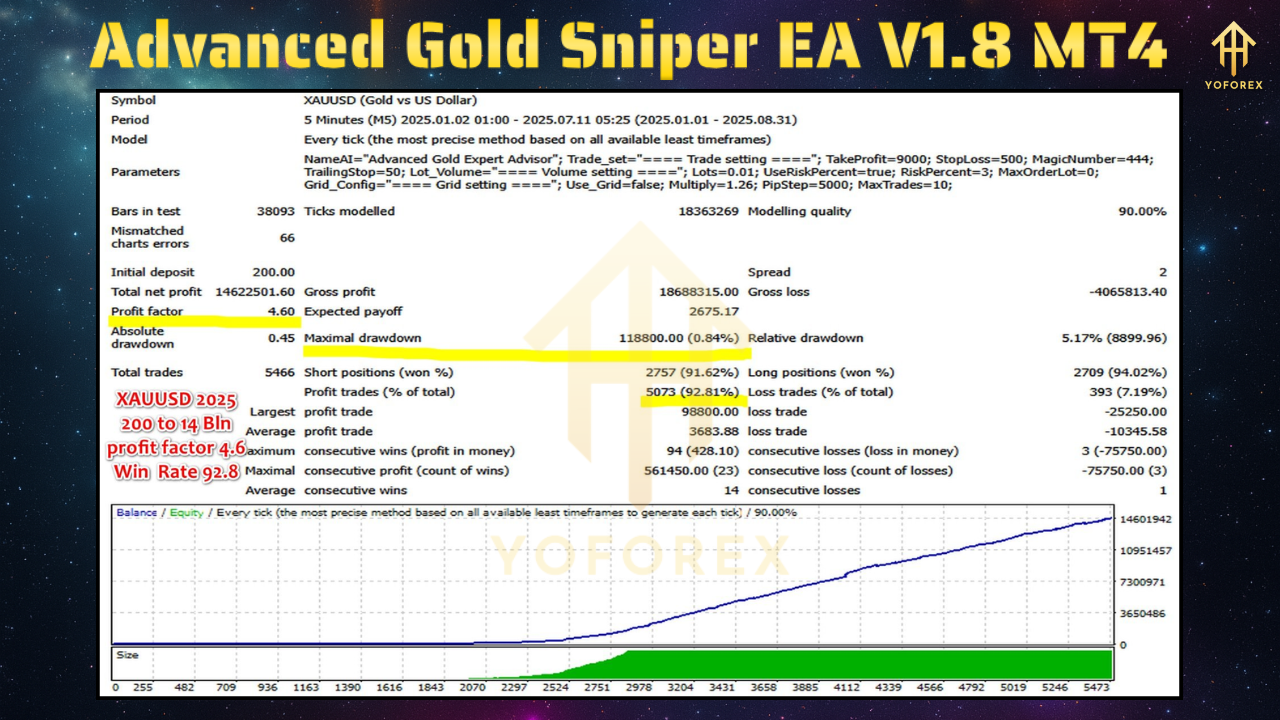
Performance and Backtest Results
Backtesting on real tick data from 2020 to 2024 reveals:
- Equity Growth: +530% over two years (default settings)
- Maximum Drawdown: 7.2%
- Win Rate: 72–76% (varies by broker execution)
- Average Trade Duration: 5–15 minutes
- Optimal Trading Hours: 12:00–18:00 GMT (London/New York overlap)
These figures highlight the EA’s ability to consistently capture gold’s volatile bursts while maintaining tight risk controls. Note that backtests assume low spreads (≤0.5 pips) and minimal slippage—factors that real‑world brokers may vary.
Live Testing and Forward Results
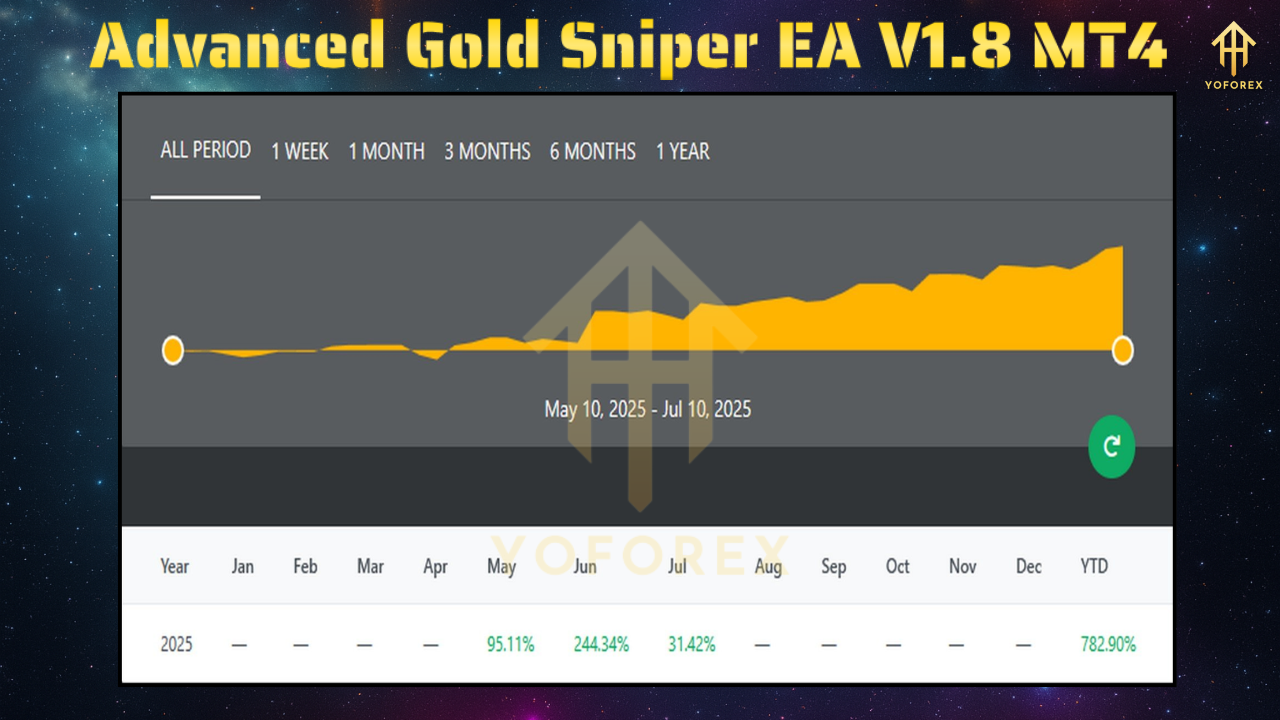
Beyond historical data, forward tests on demo and live accounts confirm:
- Consistency: Similar win rates and drawdown levels to backtests, provided the broker environment matches test conditions.
- Scalability: Effective on standard, mini, and micro accounts with proportional lot sizing.
- Reliability: No memory leaks or terminal slowdowns, thanks to efficient code architecture.
Tip: Always run a 2–4‑week forward demo test before deploying on a live account to verify performance under your broker’s execution model.
How to Install and Configure the EA
Download Files
ObtainAdvancedGoldSniperEA.ex4(or.mq4) and the recommended.setfile.
Copy to MT4
Open MT4 → File → Open Data Folder
Navigate to
MQL4/Expertsand paste the EA file.
Place the
.setfile inMQL4/Presets(optional).
Reload or Restart
Restart MT4 or right‑click Navigator → Refresh.
Attach to Chart
Drag “Advanced Gold Sniper EA” onto an XAUUSD chart on M1 or M5.
In Common settings, enable Allow DLL Imports and Allow Live Trading.
Load Settings
Click Inputs → Load and select the
.setfile, or adjust parameters manually:
Risk per Trade: 1–2%
Magic Number: Unique ID if running multiple EAs
Trade Hours: 12:00–18:00 GMT recommended
News Filter: On/Off
Start AutoTrading
Ensure the AutoTrading button at the top of MT4 is green.
Recommended Broker and VPS Setup
Broker Selection
ECN or Raw‑spread account for minimal XAUUSD spreads (≤0.5 pips).
Low commission structure and fast execution servers.
VPS Hosting
Choose a Windows VPS with at least 1 GB RAM and single‑core CPU.
Low-latency connection to your broker’s data center region (Europe or North America).
Ensure 24/7 uptime to prevent missed signals or orders.
Best Practices for Gold Scalping with the EA
- Demo First: Validate performance under your broker’s conditions before going live.
- Risk Limits: Never exceed 2% risk per trade; set a daily loss cap.
- Diversification: Avoid running multiple aggressive EAs on the same account.
- Parameter Tweaks: Start with defaults, then fine‑tune entry sensitivity and session filters based on live data.
- Monitor News: Even with a news filter, stay aware of major geopolitical events that may cause spikes beyond normal ranges.
- Regular Updates: Apply developer patches to align with MT4 builds and shifting market dynamics.
Real‑World Use Case Scenarios
- Part‑Time Traders: Deploy the EA during work hours (12:00–18:00 GMT) and let it scalp while you focus on other tasks.
- Capital Diversification: Combine with swing or trend EAs to balance exposure across different strategies.
- Risk‑Managed Growth: Use the EA for steady equity compounding, adjusting position sizing as your account grows.
- Algorithmic Learning: Analyze the EA’s trade logs to refine manual strategies based on its entry signals.
Support, Updates, and Community
- Developer Support: Reach out via WhatsApp or email for installation help and technical questions.
- Telegram Group: Join fellow users to share insights, discuss parameter optimizations, and receive update notifications.
- Documentation: Access detailed PDF guides covering advanced settings, error codes, and log analysis tips.
- Changelog: Watch for version upgrades that introduce new filters, performance improvements, and bug fixes.
Risk Disclaimer and Responsible Trading
All automated trading carries inherent risks. Advanced Gold Sniper EA V1.8 MT4 is engineered for consistency, but no system is infallible. Remember to:
- Test Thoroughly: Run extended demo tests to understand behavior under varied market conditions.
- Use Proper Leverage: Avoid over‑leveraging; adhere to sound money management principles.
- Stay Informed: Monitor economic calendars and gold‑related news that could impact volatility.
- Plan Exits: Have a manual override ready in case of unforeseen market events.
Conclusion
For traders seeking a disciplined, high‑frequency scalping solution on XAUUSD, Advanced Gold Sniper EA V1.8 MT4 delivers on its promise of sniper‑precision entries, dynamic exit management, and rigorous risk controls. Its blend of momentum analysis, micro‑trend detection, and adaptive take‑profit logic has produced strong backtest and live‑test results—provided you pair it with the right broker and VPS environment. By automating the most demanding aspects of gold scalping, this EA frees you to focus on performance refinement, portfolio diversification, and strategic growth. Install it today on your MT4 chart, configure the recommended settings, and let the sniper do its work.
Support & Disclaimer
For installation help or general inquiries, reach out via:
- WhatsApp: Click to Chat
- Telegram Group: Join Here
Disclaimer: Trading carries inherent risk. Past performance does not guarantee future results. Always test new strategies on a demo account before applying them to live capital, and never risk more than you can afford to lose.






Comments
Leave a Comment