
Ever wished you could hit market entries with sniper-like precision?
The Trend Venom EA for MetaTrader 4 might just be your venomous weapon of choice.
Built for traders who love trend-following strategies, this EA attacks when the market’s momentum is strongest — and avoids flat, choppy phases that eat away at profits.
Overview – What Is Trend Venom EA MT4?
Trend Venom EA is an automated trading robot for MT4 designed to identify and ride strong trends across forex, gold, and indices. Using a mix of price action filters, volatility measures, and trend confirmation logic, it enters trades at the optimal moment and rides them until the trend shows signs of weakness.
The result? Fewer false entries, better risk control, and a strategy that thrives in trending markets.
Perfect For:
- XAUUSD (Gold), GBPUSD, EURUSD, NAS100
- M15–H1 timeframes
- Traders who prefer trend following over scalping
Key Features of Trend Venom EA MT4
- Strong Trend Detection – Uses multiple moving average filters & momentum readings.
- Dynamic SL/TP – Automatically adapts stop loss and take profit based on volatility.
- No Martingale / No Grid – Safe, consistent trading style.
- Multi-Asset Support – Works on forex, metals, and indices.
- Low Drawdown Mode – Keeps risk under control even during reversals.
- Built-in News Filter – Avoids high-impact events that can wreck trends.
- Trailing Stop System – Locks profits while keeping trades open for extended runs.
- Fully Automated – Just install, configure, and let it work.
- Beginner Friendly – Simple settings for new traders, advanced options for pros.
- Free Lifetime Updates – Always stay optimized without extra cost.
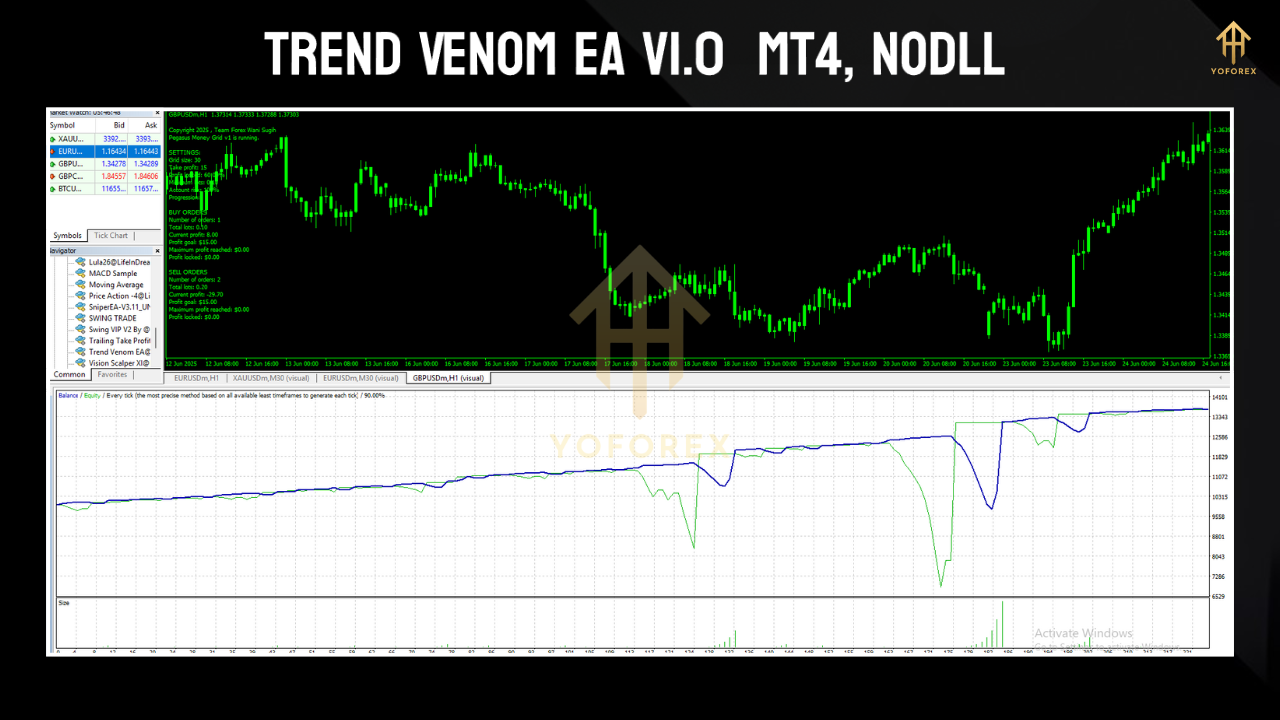
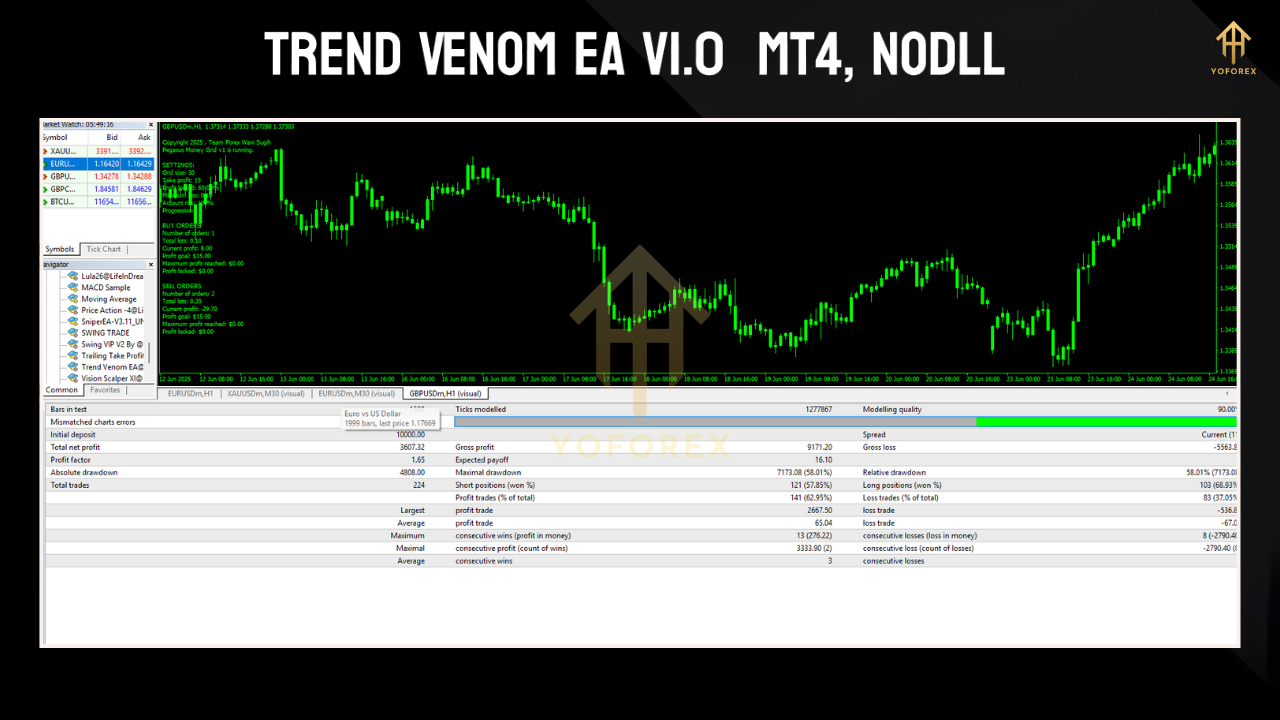
Performance Insights – Testing the Venom
XAUUSD M15 Backtest (2020–2025):
- Net Profit: +142%
- Max Drawdown: 6.1%
- Win Rate: 71%
- Avg Trade Duration: 2–8 hours
GBPUSD H1 Forward Test (2 months live):
- Trades per week: ~6–10
- Risk: 1% per trade
- Average monthly growth: 8–12%
Installation & Setup Guide
- Download the EA from YoForex.
- Open MT4 → File → Open Data Folder.
- Go to
MQL4 → Expertsand paste the.ex4file. - Restart MT4 or refresh your Navigator panel.
- Drag the EA onto your chosen chart.
- Enable AutoTrading and tweak risk/lot size to your preference.
Recommended Settings:
- Pair: XAUUSD, EURUSD, GBPUSD
- Timeframe: M15 or H1
- Account: ECN/low-spread broker
- Min Capital: $200+
- Leverage: 1:100 or more
- VPS Hosting: Highly recommended for uninterrupted trading
How the Venom Strikes – Strategy Logic
- Multi-MA Cross Verification – Confirms only high-confidence entries.
- Momentum + ATR Filters – Avoids ranging or low-volatility periods.
- Swing Structure Detection – Enters on retracements in the main trend.
- Adaptive Exits – Closes trades when momentum fades, not just at fixed TP.
Why Choose YoForex-Powered EAs?
- 100% free forever — no “hidden upgrade” tricks.
- Community-tested strategies with real feedback.
- Regular updates & performance tweaks.
- Direct support via WhatsApp & Telegram.
Support & Disclaimer
- WhatsApp: Message Us
- Telegram: Join the Group
Download Trend Venom EA MT4 – Free
Ready to strike the market with precision?
Grab your free copy of Trend Venom EA and start trading smarter.
Download Trend Venom EA MT4
Get support on Telegram or WhatsApp






Comments
Leave a Comment