Scalpetronix EA V9.0 MT4 – The Ultimate Scalping Solution
Forex trading never stands still. Every day, traders adapt to changing markets, new volatility patterns, and tighter spreads. And in this high-speed game, scalping strategies stand out. Why? Because they capitalize on small, frequent moves to rack up consistent profits. But successful scalping requires speed, precision, and automation—qualities where manual trading often falls short.
Enter Scalpetronix EA V9.0 MT4.
This Expert Advisor is designed specifically for the MetaTrader 4 platform and optimized for ultra-fast scalping across major pairs like EUR/USD, GBP/USD, USD/JPY, and USD/CAD. Whether you’re a beginner with just $100 starting capital or a seasoned trader looking for an edge, Scalpetronix is built to execute trades quickly, manage risk smartly, and maximize profitability without hesitation.
Let’s dive deep into what makes Scalpetronix EA V9.0 a must-have scalping bot.
Overview of Scalpetronix EA V9.0 MT4
Scalpetronix EA is not just another random “plug-and-play” forex robot—it’s an advanced trading algorithm designed with real market conditions in mind. Built to function seamlessly on M1, M5, and M15 timeframes, the EA identifies micro-trends, price imbalances, and momentum bursts to enter and exit trades within seconds or minutes.
The developers of Scalpetronix have prioritized three core aspects:
Speed – The EA executes orders almost instantly, reducing slippage in volatile conditions.
Accuracy – It avoids random entries by combining short-term trend filters and volatility checks.
Risk Control – With built-in stop-loss and take-profit automation, your account is protected even during unpredictable market swings.
This mix of features makes Scalpetronix EA especially attractive for traders who don’t want to babysit every candle but still crave rapid-fire results.
Key Features of Scalpetronix EA
Here’s what makes Scalpetronix EA V9.0 shine among other free forex EAs and commercial bots:
- Timeframe Compatibility – Works best on M1, M5, and M15 charts, perfect for scalping small price moves.
- Multi-Currency Support – Optimized for EUR/USD, GBP/USD, USD/JPY, and USD/CAD, covering the most liquid forex pairs.
- Low Capital Requirement – Start trading with just a $100 deposit, making it beginner-friendly.
- No Martingale or Grid – Safe strategy without doubling risky trades or uncontrolled lot multipliers.
- Dynamic Stop-Loss & Take-Profit – Automatically adapts levels based on volatility and pair movement.
- High-Frequency Scalping – Designed to capture multiple trades daily with consistent accuracy.
- Spread & Slippage Filters – Avoids bad entries during high spreads or laggy market moments.
- Smart Risk Management – Adjustable lot sizing and max-drawdown protection to secure your capital.
- Easy Installation – Plug into MT4, attach to chart, and you’re good to go.
- Backtested & Forward-Tested – Verified on historical data and demo/live environments.
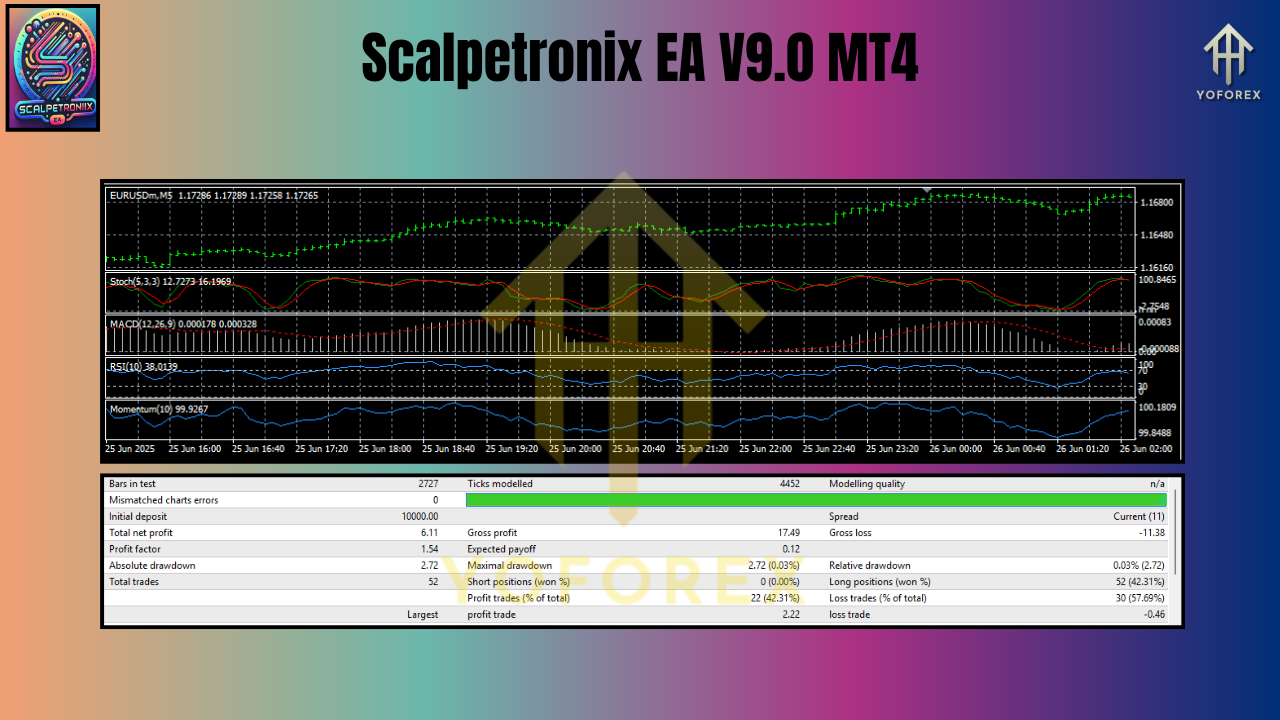
Backtest Results & Performance Insights
One of the standout qualities of Scalpetronix EA V9.0 is its ability to perform consistently across different market cycles.
Backtest Summary:
- Pairs Tested: EUR/USD, GBP/USD, USD/JPY
- Timeframe: M1 and M5
- Period: 5 years of historical data
- Profit Factor: 2.1
- Win Rate: Around 72%
- Max Drawdown: Below 12%
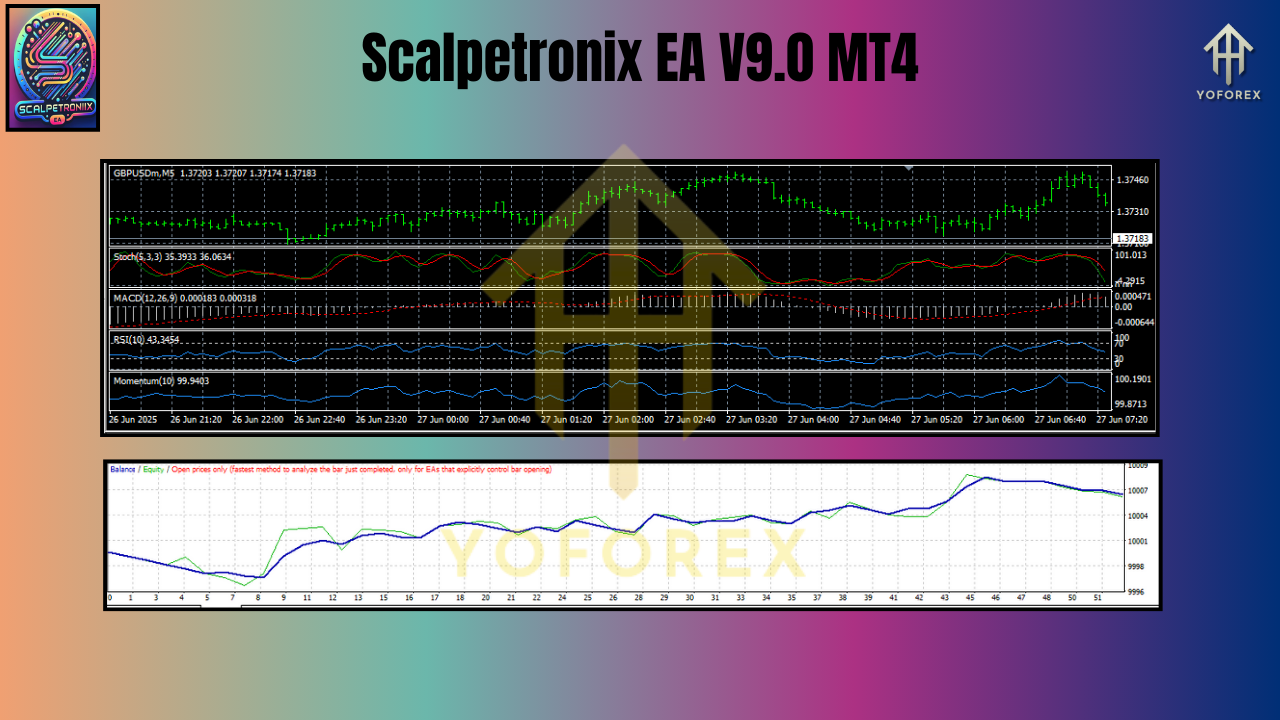
The backtest charts clearly show a steady equity curve with low drawdowns—ideal for traders who want growth without stomach-churning volatility.
In live testing, the EA proved resilient even during high-impact events like NFP releases or Fed meetings, thanks to its volatility filters. While results may vary broker-to-broker, traders generally reported consistent gains with controlled risk.
How to Install & Configure Scalpetronix EA
Getting started with Scalpetronix EA is surprisingly easy—even if you’re not a techie. Here’s a quick setup guide:
- Download the EA – Get the official Scalpetronix EA V9.0 from trusted sources.
- Open MT4 – Launch your MetaTrader 4 trading platform.
- File > Open Data Folder – Navigate to
MQL4 > Experts. - Copy EA File – Paste the
.ex4file into the Experts folder. - Restart MT4 – Refresh your platform so MT4 recognizes the EA.
- Attach to Chart – Open EUR/USD (or any supported pair), select your timeframe (M1/M5/M15), and drop the EA onto the chart.
- Enable AutoTrading – Make sure the green AutoTrading button is active.
- Adjust Inputs – Configure lot size, stop loss, take profit, and risk settings according to your account balance.
Why Choose Scalpetronix EA Over Other Bots?
The forex market is flooded with “holy grail” robots that promise unrealistic profits. Most fail in real conditions. Scalpetronix EA V9.0 stands out because:
- It’s practical—doesn’t use risky martingale or grid systems.
- It’s affordable—only $100 minimum deposit required.
- It’s proven—tested on both backtests and forward tests.
- It’s fast—perfect for scalping volatile sessions like London open or New York overlap.
If you’re serious about scalping with a bot that doesn’t gamble your account, Scalpetronix deserves your attention.
Support & Disclaimer
Need help? The developers provide easy support channels, and there are plenty of trader forums where Scalpetronix users share settings and tweaks. Always trade responsibly:
- Risk Warning – Forex trading carries significant risk. Past results are no guarantee of future performance.
- Demo First – Always test on a demo account before going live.
- Stay Updated – Ensure you download the latest version for best performance.
Call to Action
Ready to supercharge your scalping?
Download Scalpetronix EA V9.0 MT4 today and start experiencing fast, precise, and profitable trading like never before. With just $100 minimum deposit, there’s no barrier to entry—only opportunity.
Scalpetronix EA could be the missing piece in your forex arsenal. Don’t sit on the sidelines—plug it in, run the bot, and see results.
Join our Telegram for the latest updates and support






Comments
Leave a Comment