
In today’s competitive forex market, traders are constantly searching for automated systems that can perform under pressure and adapt to volatile conditions. The Ninja Forex EA V5.0 stands out as a MetaTrader 4 Expert Advisor designed to trade differently from traditional robots. By relying on reverse trading logic instead of trend continuation, this EA brings a unique angle to automated strategies.
This article explores everything you need to know about Ninja Forex EA V5.0, from its reverse logic approach and trade execution to its benefits, risks, and tips for practical use. Built for traders who want to think beyond ordinary systems, it provides a fresh opportunity for those looking to maximize potential in short timeframes.
What Makes Ninja Forex EA V5.0 Different?
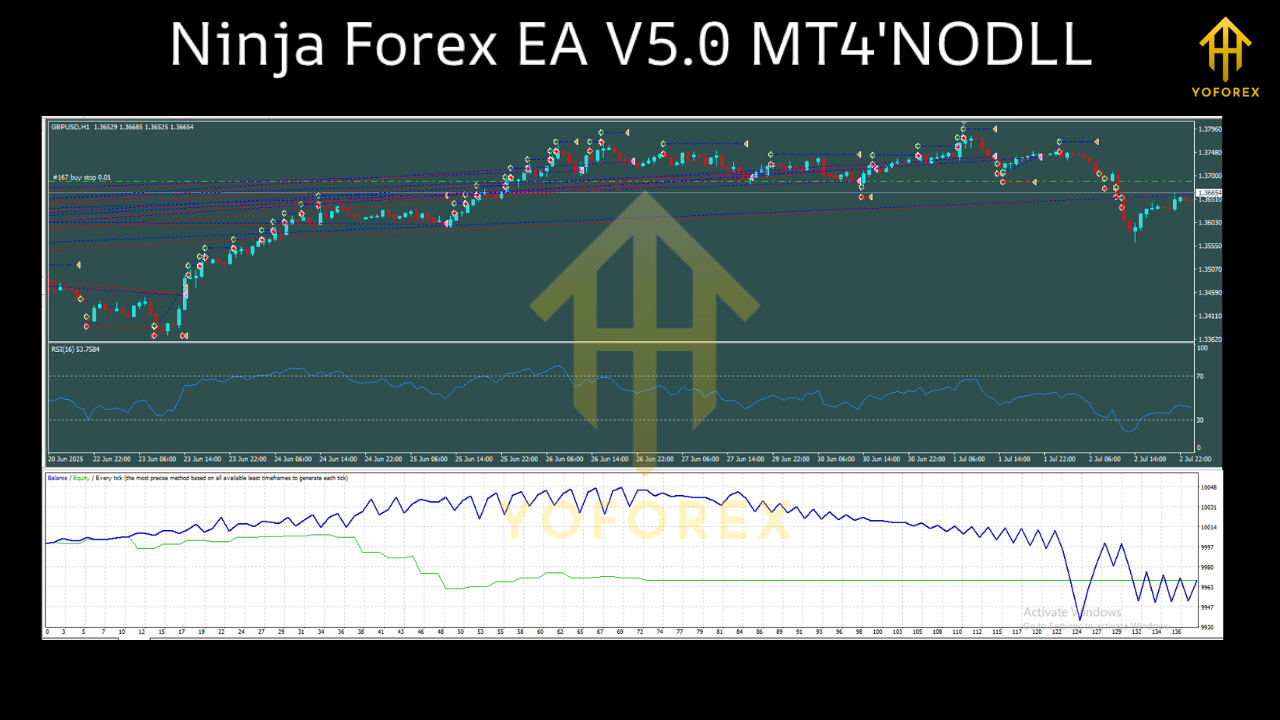
Most EAs are designed to follow trends. When the market moves up, they buy; when it drops, they sell. Ninja Forex EA V5.0 does the opposite. It places pending orders against the trend, anticipating that price action will correct or retrace before continuing.
For example, in a bullish market, the EA prepares a sell order; in a bearish move, it prepares a buy order. This contrarian design aims to take advantage of short-term reversals, which often occur when the market becomes overextended.
Best Pairs and Timeframes
The EA is optimized for:
- GBPUSD
- GBPJPY
- GBPAUD
These pairs are highly liquid and known for frequent swings, making them ideal for the EA’s reverse-trading strategy. It also supports gold (XAUUSD), although traders should approach it with wider spacing and stricter risk control due to its volatility.
The recommended timeframe is M5 (5-minute). This shorter chart allows the EA to spot fast reversals and deliver quick trades within the same session.
Step-Based Execution
One of the defining features of Ninja Forex EA V5.0 is its step spacing system.
- For currency pairs, trades are spaced around 10 pips apart.
- For gold, the spacing extends to around 100 points.
This prevents trades from clustering too closely and allows the EA to gradually build positions. When a series of trades is opened—sometimes up to 8 in total—the EA manages them by watching for profit on later trades and closing earlier ones to secure overall equity growth.
Dynamic Exit Without Fixed TP/SL
Unlike many trading systems, Ninja Forex EA V5.0 does not use rigid Take Profit or Stop Loss settings. Instead, it employs trailing profit logic and equity-based closures.
This means the EA adapts to market conditions, exiting trades when profitable rather than waiting for fixed levels. While this provides flexibility, it also increases risk since losing trades may not have a defined stop. Traders must monitor account size, lot sizes, and leverage carefully to avoid heavy drawdowns.
Key Improvements in Version 5.0
The newest upgrade focuses on refining how trades are closed. In previous releases, profit management was more basic. Version 5.0 improves the EA’s ability to “chase profits” by closing the first trades once the last ones begin to turn positive.
This adjustment helps balance exposure and lock in returns faster, making the system more efficient and less prone to holding trades unnecessarily long.
Why Traders Choose Ninja Forex EA V5.0
- Contrarian Edge – By trading against short-term sentiment, it captures opportunities trend systems miss.
- Scalping Potential – Works best on the M5 chart, ideal for fast-paced traders.
- Automation – Handles entries, exits, and order management without manual interference.
- Customizable – Step size and lot options allow flexibility to match different account balances.
- Profit-Focused Closures – Designed to exit trades intelligently when equity increases.
Risks to Consider
As with any trading robot, Ninja Forex EA V5.0 is not without risks.
- Drawdowns Without SL: The absence of stop losses means accounts may face extended losing periods.
- Gold’s Volatility: XAUUSD requires cautious use of wider spacing and smaller lots.
- Broker Requirements: High spreads or slow execution can reduce efficiency.
- User Experience: Beginners need time to understand how reverse trading works before risking live capital.
Getting Started: A Beginner’s Approach
- Demo Testing First
Install the EA on a demo account to see how it behaves in real market conditions. - Start with GBPUSD
Focus on one stable pair before moving to more volatile ones. - Use Conservative Lot Sizes
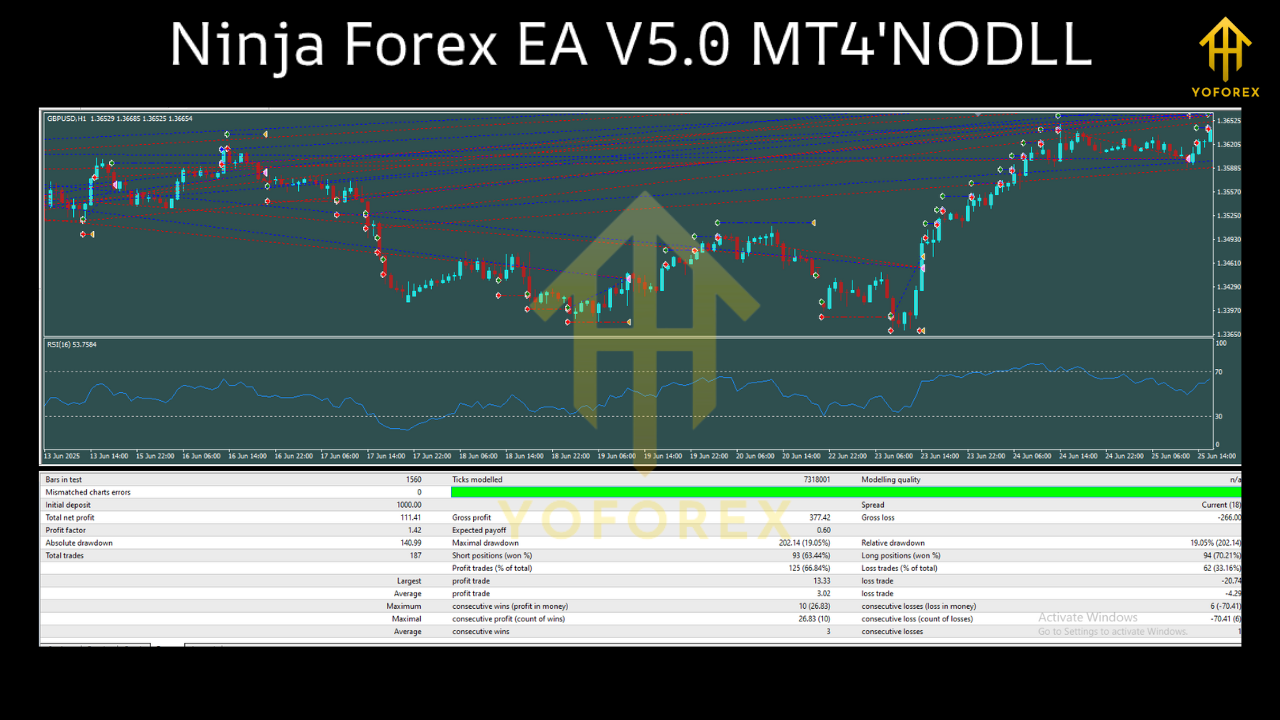
Smaller positions reduce risk during early testing. - Forward Test Over Time
Allow the EA to run across multiple weeks to observe performance consistency. - Monitor Closures Closely
Watch how the EA closes trades based on equity gain, and adjust if needed.
Why It Appeals to New Traders
For many beginners, the hardest part of trading is emotional control. Fear, hesitation, and overtrading often lead to mistakes. Ninja Forex EA V5.0 automates this process, following strict rules with no hesitation. By learning with an EA that executes contrarian trades, beginners gain exposure to a strategy they may find difficult to apply manually.
The short timeframe also helps provide quick feedback, allowing new traders to learn faster from real market movements.
Conclusion
Ninja Forex EA V5.0 for MT4 offers a refreshing perspective on forex automation. Instead of following the crowd, it takes the opposite approach—seeking profit from retracements and reversals. Its step spacing system, dynamic closures, and profit-chasing logic set it apart from typical EAs.
That said, this system requires disciplined use. Traders should demo test extensively, start small, and approach high-volatility assets cautiously. For those who are prepared, Ninja Forex EA V5.0 can become a powerful part of their trading strategy, combining innovation with automation.






Comments
Leave a Comment