
Crypto moves fast. Blink and you’ve missed a 200-pip candle on BTCUSD. If you want automation that can actually keep up—without wild martingale games—HiveBitcoin EA V4.4 for MT4 is built for that reality. It combines a volatility-aware core with strict risk controls so you can let the bot handle entries and exits while you focus on the bigger picture: broker quality, costs, and steady execution.
Below you’ll find the full walkthrough: what HiveBitcoin EA does, how it thinks, recommended settings, install steps, and the risk rules that keep you in the game.
What Is HiveBitcoin EA V4.4?
HiveBitcoin EA V4.4 is a crypto-focused Expert Advisor for MetaTrader 4 designed primarily for BTCUSD (CFD or crypto symbol, depending on your broker). It uses a trend + volatility engine to find tradeable conditions, then confirms entries with micro-structure triggers (break-retest, engulf, or rejection wicks). The idea is simple: skip the low-quality chop; act decisively when momentum is clean and spreads are sane.
Who it’s for
- Traders who want non-martingale automation with clear, testable rules
- BTCUSD (and optional ETHUSD) enthusiasts who trade 24/7 markets
- Users comfortable with low, consistent risk and VPS-based execution
Best-fit timeframes: M5–M15 for BTCUSD; advanced users can explore M1 under excellent conditions (tight spread, stable VPS).
Key Features (V4.4)
- Volatility-adaptive entries — Uses ATR bands to judge whether current conditions are tradable or too “hot.”
- Directional bias filter — Only trades with a clearly defined trend, or mean-reversion when range conditions meet strict criteria.
- Strict risk, no martingale — Fixed risk per trade; selective pyramiding on confirmation only (optional).
- Equity guard & daily stop — Pauses new entries once floating drawdown or daily loss limits are hit.
- Spread/Slippage guard — Skips entries if crypto spreads spike or slippage exceeds your threshold.
- Session/time filter for crypto — Avoids thin liquidity windows (broker-dependent) even though crypto is 24/7.
- News/event block (manual or indicator-based) — Optional protective window around key macro/crypto events.
- Partial take-profit + trailing — Scale out at +1R or structure target, then trail the rest intelligently.
- Multi-symbol ready — Optimized for BTCUSD; optional templates for ETHUSD.
- Readable logs — Transparent reasons for trade entries/exits so you can audit decisions later.
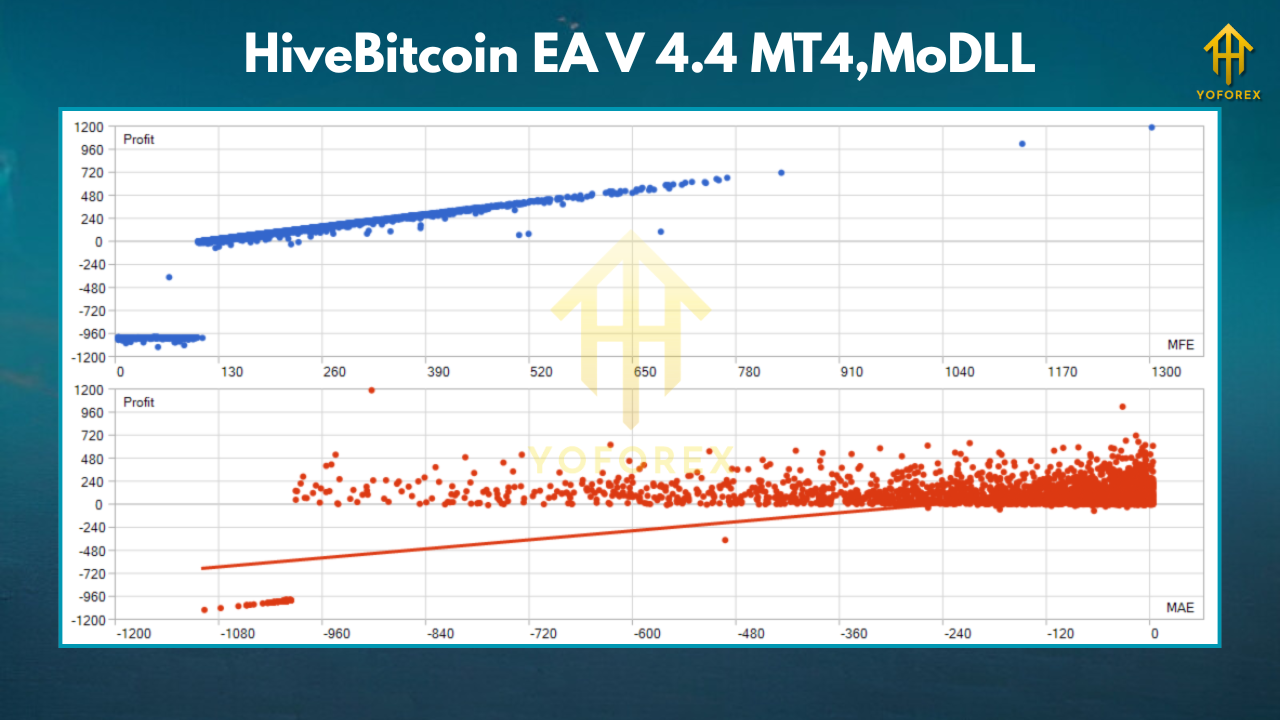
How the Strategy Works (Under the Hood)
1) Market State & Direction
The EA evaluates trend strength using a dual-MA structure plus a momentum read. If the trend is clean, it hunts for orderly pullbacks; in ranges, it seeks controlled mean-reversion—never during volatility spikes.
2) Volatility Gate
ATR-based logic checks whether the stop would need to be excessively wide. If yes, entries are vetoed. This is crucial for BTCUSD, where candle size can multiply quickly.
3) Entry Triggers
Micro-structure confirmation (engulf, break-retest, or wick rejection) acts as the final green light. No confirmation? No trade.
4) Risk & Lifecycle
Risk is set as a percentage of equity (not lots pulled from thin air). Partial profit at +1R or structure, optional trailing to ride momentum. If a secondary confirmation appears, the EA can add a light pyramid within your max exposure.
Recommended Settings (Starter Template)
- Broker/Account: Crypto CFD with consistently tight spreads
- VPS: Yes, 24/7 uptime, low latency
- Leverage: 1:100–1:500 (use responsibly; higher leverage ≠ higher edge)
Symbols & Timeframes
- BTCUSD: M5–M15 (default)
- ETHUSD (optional): M5–M15
Risk Controls
- Risk per trade: 0.25%–0.75% (BTC is volatile; beginners stay 0.25%–0.5%)
- Max open positions: 3–4 across all crypto symbols
- Daily loss stop: 2%–3% (then pause until next day)
- Equity guard (floating DD): 5%–7% pause threshold
Execution Filters
- Max spread: broker-dependent; set a tight cap that reflects normal conditions for your symbol
- Max slippage: 1–3 points (adjust per broker tick size)
- Time filter: Avoid thin broker liquidity windows (rollover or maintenance)
- News block: Optional 10–20 min on major macro/crypto events (CPI, FOMC, ETF news, large exchange incidents)
Stops & Targets
- SL: ATR-based, typically 1.5×–2.5× ATR relative to timeframe
- TP: Structure-aware; partial at +1R; trail remainder behind swing/ATR
Installation (MT4)
- Copy EA: Place
HiveBitcoin_EA_V4_4.ex4intoMQL4/Experts/. - Restart MT4 and enable AutoTrading.
- Attach to Chart: Open BTCUSD chart → drag the EA onto the chart.
- Inputs: Load a preset (if provided) or apply the template above.
- Permissions: Allow DLL imports if your environment requires it (for news/calendar modules).
- One symbol, one chart: Use separate charts for BTCUSD and ETHUSD if you trade both.
- Demo first: Run 7–14 days on demo/VPS before going live.
Broker & Data Tips (Crypto-Specific)
- 24/7 quotes: Some MT4 crypto feeds pause or widen spreads on weekends/maintenance. Your filters should pre-empt bad conditions.
- Symbol precision: BTCUSD tick size and contract specifications vary. Confirm lot step, tick value, and margin calc with your broker.
- Latency matters: Crypto spikes punish slow execution; VPS is strongly recommended.
- Cost discipline: Spread + commission must be reasonable for M5 trades to make sense; otherwise, step up to M15.
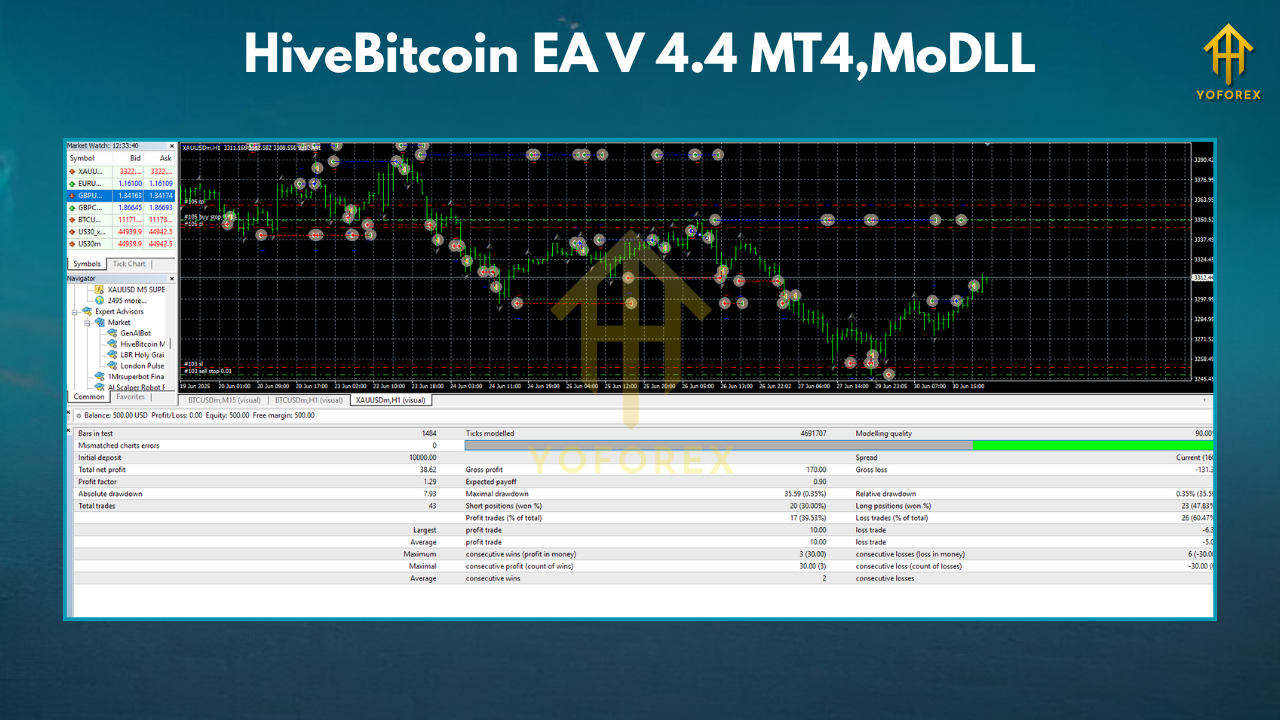
Backtesting & Forward Testing
- Tick-quality data with variable spread and realistic slippage;
- Event blocks around major macro/crypto announcements;
- Multi-pair testing (BTCUSD primary, ETHUSD optional) to check robustness;
- Forward test on a demo VPS to validate live behavior (spreads, freezes, rejects).
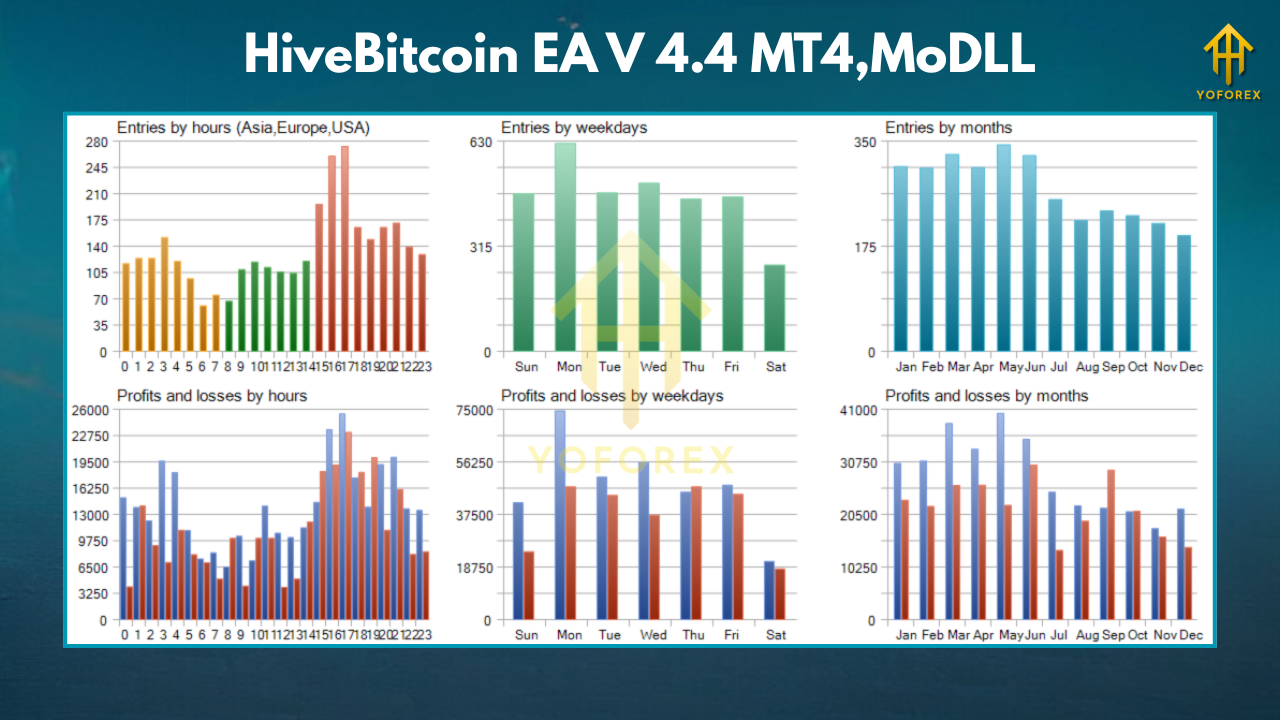
You should expect non-uniform trade frequency. When BTC trends cleanly with stable spreads, the EA can capture legs efficiently; during messy consolidation, it should skip more often. That’s intentional.
Risk Management Playbook (Don’t Skip This)
- Keep risk small and constant. No “double after loss” tricks.
- Respect the daily stop. Pause after your limit to prevent emotional changes.
- Monitor your broker. If spreads widen or slippage increases, reduce risk or pause.
- Avoid over-optimization. Parameters that look “perfect” on one month usually fail later.
Troubleshooting & FAQs
Q: Does HiveBitcoin EA use martingale or a recovery grid?
A: No. It scales only on additional confirmation, within your max exposure.
Q: Will it trade every day?
A: Not always. Skipping low-quality conditions is part of the edge—especially vital on BTC.
Q: Can I run it on small accounts?
A: Yes, but start conservative: $200–$500 with 0.25%–0.5% risk per trade and a VPS.
Q: M5 vs M15?
A: M5 captures more opportunities but is cost-sensitive; M15 is cleaner. Choose based on your broker’s execution and typical spread.
Q: Can I add ETHUSD?
A: Yes—use separate charts and slightly tighter risk until you understand its behavior.
Best Practices in One List
- VPS + reliable crypto broker
- M5–M15 for BTC (M15 if costs are higher)
- Risk 0.25%–0.75%, no martingale
- Daily loss stop 2%–3%, equity guard 5%–7%
- Spread/slippage caps enforced
- Block major events if your broker gets spiky
- Demo forward-test before live
Disclaimer
Trading crypto CFDs and Forex involves significant risk. Past results do not guarantee future performance. Always test on demo and only trade money you can afford to lose.
Call to Action
Want a crypto-native EA that respects risk and adapts to BTC’s mood swings? Deploy HiveBitcoin EA V4.4 on MT4, start with conservative risk, and let the volatility filters do their job. Get your VPS, set your guards, and forward-test—then scale responsibly.






Comments
Leave a Comment