Grid EAs excite traders for a reason: they can capture choppy markets by stacking orders and harvesting mean-reversion. But they also scare people—rightly—because poor settings or oversized risk can spiral into ugly drawdowns. Forex Hacked V2.5 EDU EA for MT4 sits in the sweet spot for learners and cautious tinkerers: it exposes the core grid + recovery logic in a transparent, educational package so you can test, iterate, and understand why a setup behaves the way it does—before you commit any real money.
In this guide, we’ll break down how Forex Hacked V2.5 EDU works, which settings matter most, how to install it on MT4, and the risk controls you should hard-wire from day one.
What Is Forex Hacked V2.5 EDU?
Forex Hacked V2.5 EDU is an MT4 Expert Advisor built around a configurable grid and recovery engine. In plainer words, the EA places initial trades based on a trigger (trend/price action/indicator), then adds additional trades at predefined step distances if price moves against the position. It seeks a net exit at a take-profit target once the basket reaches a combined profit.
The “EDU” angle: You get the knobs—Step, Multiplier, TP, Max Orders, Trade Direction, and often filters—to observe how small tweaks change risk profile and P/L shape. This is about learning and testing safely first, not chasing overnight riches.
Who it’s for
- Traders who want to understand grid mechanics without black-box mystery
- System testers who will demo/forward-test and keep risk tiny if they ever go live
- Folks comfortable with disciplined rules (daily stops, equity guards, max orders)
Typical markets/timeframes
- Pairs with decent liquidity and predictable mean-reversion: EURUSD, GBPUSD, USDJPY
- Timeframes: M15–H1 (M15 if spreads are genuinely tight; H1 for calmer behavior)
How the Strategy Works (Under the Hood)
- Initial Trigger
The EA opens a first trade based on a configurable signal—often a simple trend or pullback condition. Many users choose with-trend bias for safer behavior. - Grid Expansion
If price moves against the first trade, the EA places a second, third… position at a fixed Step (distance in pips/points). Each new position can use a Multiplier on lot size (classic “martingale-style” scaling) to accelerate basket breakeven. - Basket Take-Profit
Once the combined floating P/L of the basket reaches the Target Profit, the EA closes the entire basket—not just one leg—locking in a net win. - Risk Boundaries
Your Max Orders, Equity Guard, and Daily Loss Stop act as hard brakes. Hitting any of these must pause trading (non-negotiable).
Key Features
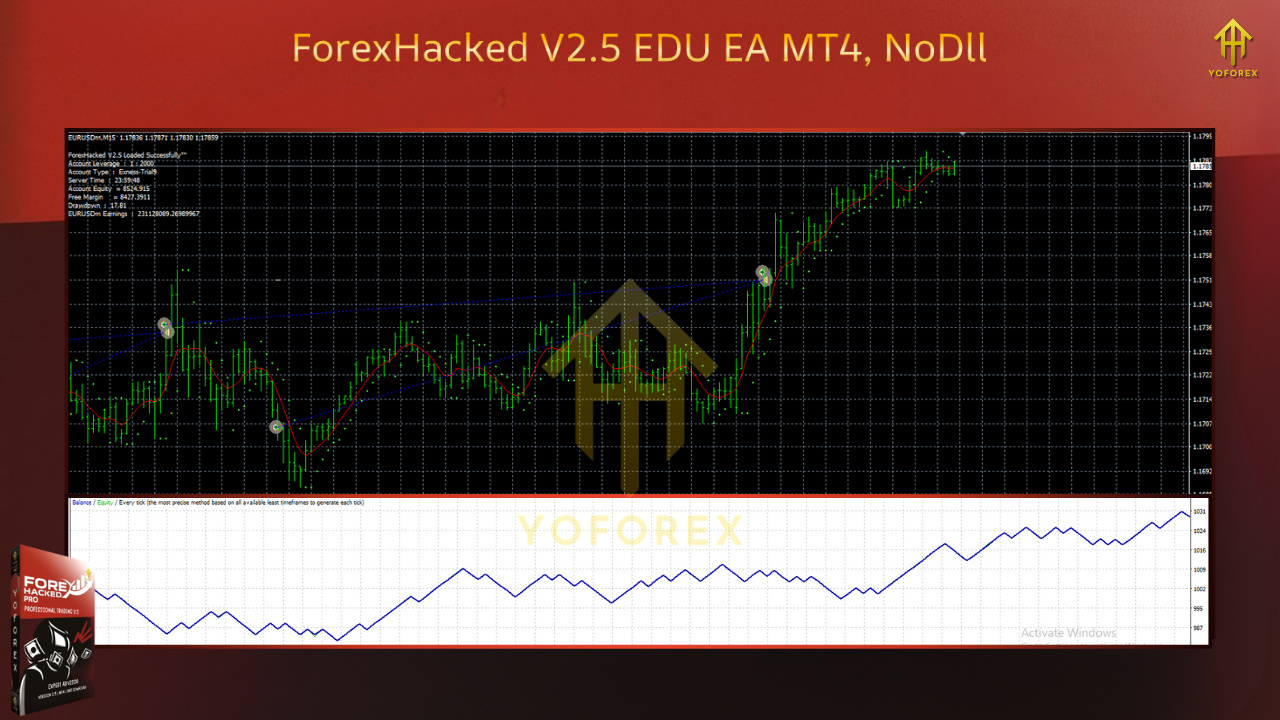
- Educational focus: Exposes the main controls (Step, Multiplier, TP, Max Orders) for hands-on learning
- Two-way trading: Optional long-only, short-only, or both (user-defined)
- Trend & session filters: Trade with bias and avoid thin-liquidity hours if desired
- Equity guard & daily stop: Pause new entries at your defined drawdown or loss limit
- Spread/slippage filters: Skip entries when conditions are hostile
- Preset profiles: Conservative, balanced, and aggressive templates (create your own as you learn)
- Detailed logs: Understand basket progress, vetoed trades, and exit logic
Recommended Starter Settings (Conservative)
- Broker: ECN/Raw-spread preferred
- VPS: Yes (stability, 24/5 uptime)
- Leverage: 1:100–1:500 (leverage ≠ edge; size responsibly)
Symbols/TF
- EURUSD (main), USDJPY, GBPUSD
- Timeframe: H1 (calmer) or M15 (more active, more cost-sensitive)
Risk & Exposure
- Starting lot: 0.01 per $1,000–$2,000 (and even smaller if you like)
- Max Orders: 5–7 (stay low while learning)
- Equity Guard (floating DD): 10% (pause at this)
- Daily Loss Stop: 3%–5% (pause for the day)
Grid Logic
- Step: 25–50 pips on majors (wider step → fewer adds → slower recovery but safer)
- Multiplier: 1.2–1.4 (smaller multiplier reduces blow-up risk)
- Target Profit: $ in currency or pips, e.g., $3–$7 per basket per 0.01 lots on H1 (scale prudently)
Filters
- Max Spread: realistic cap for your broker (e.g., EURUSD ≤ 15–20 points)
- Session Filter: Prefer London/NY overlap, avoid rollover
- News Block (optional): 15–30 min before/after high-impact events
Installation & Setup (MT4)
- Copy the EA file into
MQL4/Experts/ - Restart MT4 → Navigator → Experts → drag Forex Hacked V2.5 EDU onto your chart
- Enable AutoTrading (toolbar) and allow DLL imports if your configuration requires it
- Inputs: Start with a conservative preset (as above)
- One symbol per chart: Open separate charts if testing multiple pairs
- Demo forward-test for at least 2–4 weeks to observe baskets through different market regimes
Backtesting & Validation
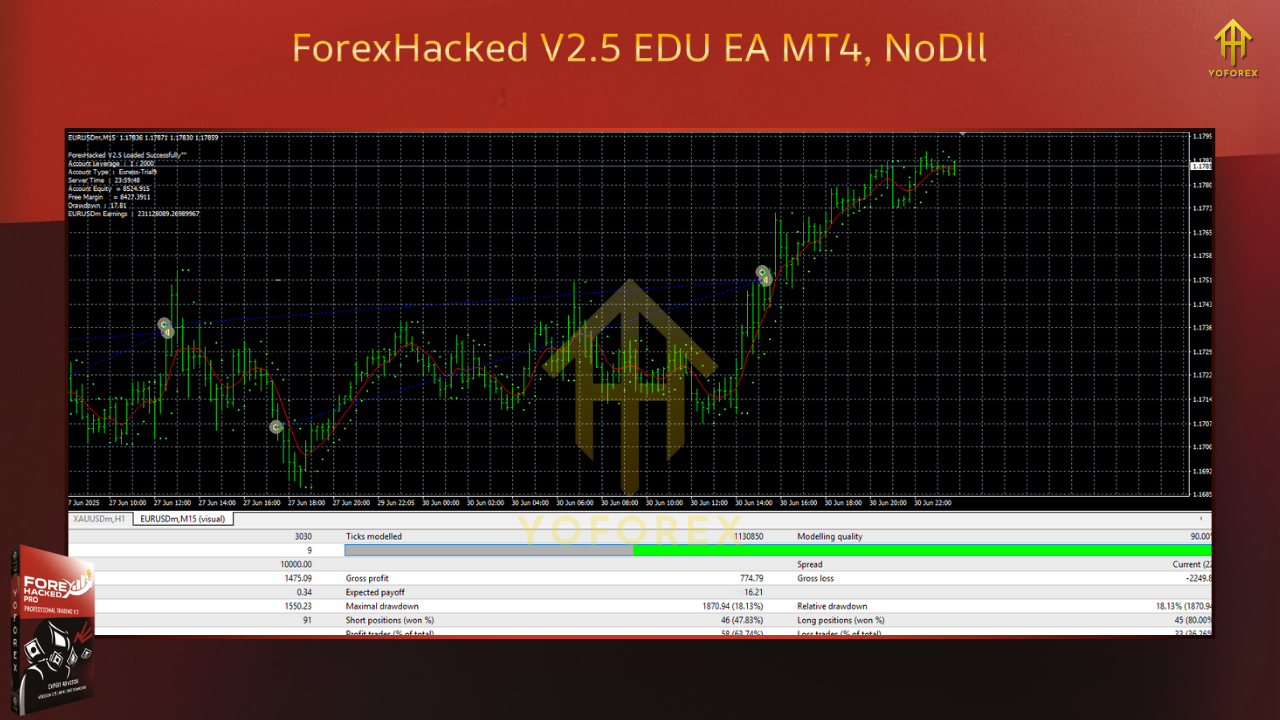
- Tick-quality data with variable spread helps (fixed spreads make grids look prettier than reality)
- Simulate news windows (or at least watch those timestamps) to approximate slippage risk
- Run multi-month tests across different regimes (trend, range, volatility spikes)
- Forward-test on a VPS—execution friction is part of the real-world outcome
Look for: average basket duration, max simultaneous baskets, typical peak DD, spread sensitivity, and whether your Max Orders and Step keep exposure sane during one-way moves.
Risk Management Playbook (Non-Optional)
- Define “no-trade days.” Post-CPI/NFP/Fed days can trend hard—consider pausing grids.
- Withdraw profits periodically. Don’t let account size drift into oversized risk.
- Cap exposure across pairs. Correlated majors can compound drawdown.
- Respect circuit breakers. Equity guard and daily stop exist to pause you.
- Tune upward slowly. If you ever scale risk, do it in tiny increments—never jump multipliers.
FAQs
Does Forex Hacked V2.5 EDU use martingale?
It can use martingale-style scaling via Multiplier. Keep it small (1.2–1.4) or even 1.0 (no scaling) while learning.
What account size should I start with?
For education, even $500–$1,000 demo is fine. If you ever go live, start tiny and keep 0.01 lots and low Max Orders until you’ve observed many baskets.
Will it trade every day?
Not necessarily. Basket frequency depends on range/trend structure and your filters.
Best pair and timeframe?
EURUSD H1 is a common conservative baseline. Move to M15 only if your spreads are consistently tight and execution is good.
Can I run multiple pairs?
Yes, but cap total exposure and avoid stacking highly correlated pairs at the same time.
Disclaimer
Grid EAs carry material risk, especially with multipliers and tight steps. Past performance is not indicative of future results. Use demo first, keep risk small, and never trade funds you can’t afford to lose.
Call to Action
If you want to learn grid mechanics responsibly, Forex Hacked V2.5 EDU EA is a useful sandbox. Start with conservative settings on demo, observe how baskets behave across market regimes, and only then consider a cautious live rollout—keeping multipliers small, steps wide, and exposure capped.






Comments
Leave a Comment