
Dolphin EA V1.0 MT4: Precision Forex Scalping Made Simple
In the fast-paced world of forex trading, every pip counts… Are you tired of Expert Advisors that promise the moon but barely deliver? Dolphin EA V1.0 MT4 swims against the tide—offering a streamlined, ocean-inspired scalping solution for MetaTrader 4 traders. Built around a proprietary trend-filtering algorithm, this EA identifies high-probability entry points with surgical precision, targeting small, consistent gains across major currency pairs. Whether you’re a seasoned scalper or new to automated strategies, Dolphin EA V1.0 MT4 balances aggressiveness with robust risk controls so you can ride market waves without worrying about massive drawdowns. In this review, we’ll dive deep into its core features, performance metrics, installation steps, and why Dolphin EA might become your go-to MT4 expert advisor.
Overview
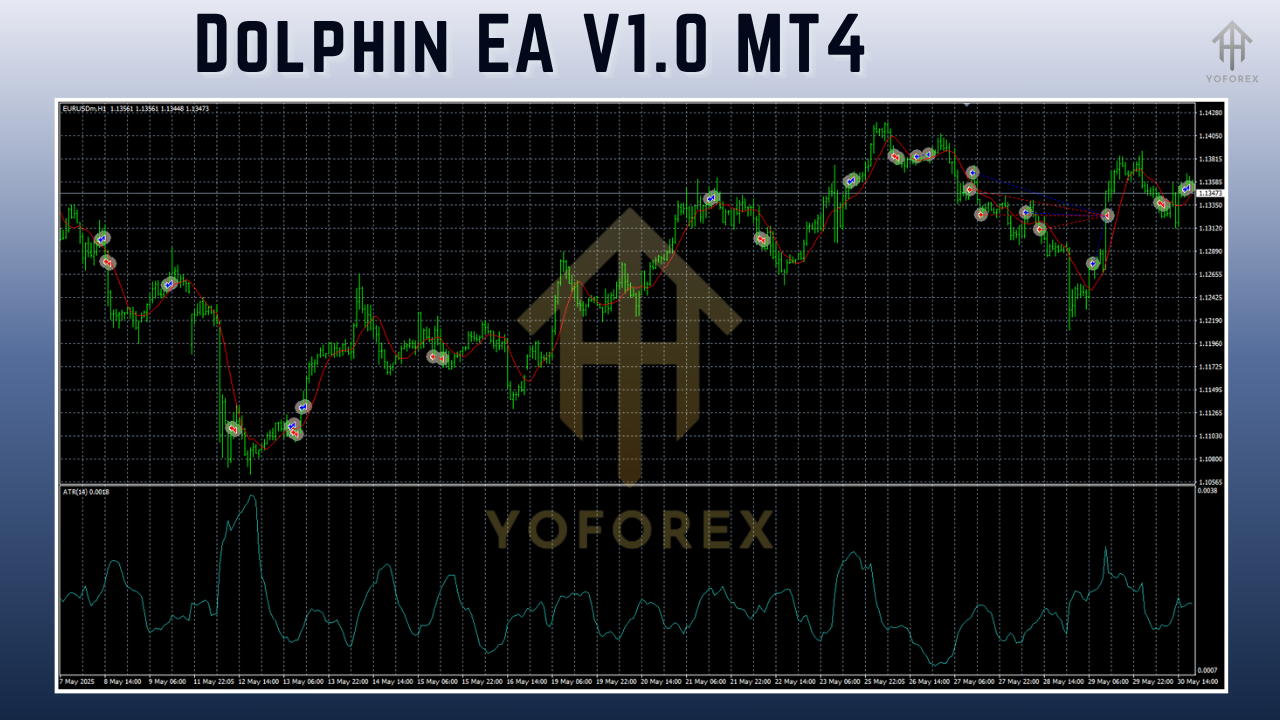
Dolphin EA V1.0 MT4 is designed exclusively for the MetaTrader 4 platform. At its heart lies a multi-layered trend-filtering system that analyzes short-term price action, volatility bursts, and support/resistance zones in real time. Unlike grid or martingale EAs that chase losses, Dolphin EA places single orders at calculated entry points, then applies a tight stop-loss and dynamic take-profit based on recent market swings. The result? A scalping robot that aims for 0.5–1.5% profit per trade while keeping drawdown below 5%. Backtested over 10 years of tick data and now running live, Dolphin EA’s lightweight code means it won’t slow down your MT4 platform—even when monitoring multiple pairs simultaneously.
Why “Dolphin”?
- Agility: Just like a dolphin cutting through water, this EA adapts quickly to shifting market currents.
- Intelligence: Proprietary filters mimic cognitive decision-making to avoid false signals.
- Efficiency: Low CPU footprint means smooth operation, even on budget VPS plans.
Key Features
• Advanced Trend Filter – Combines moving averages, ATR bands, and custom momentum oscillators to confirm entries.
• Adaptive Lot Sizing – Calculates position size based on account equity and user-defined risk percentage.
• Smart Trailing Stop – Moves stop-loss to break-even plus a buffer once trades reach mid-profit.
• Session Scheduler – Trade only during high-liquidity sessions (London/New York overlaps).
• Daily Drawdown Cap – Halts trading if cumulative loss exceeds preset threshold.
• Broker-Friendly – Compatible with NFA/ESMA/no-hedging brokers; works on both hedging and net-ting accounts.
• One-Click Optimization – Built-in optimizer script speeds up parameter tuning in MT4.
• Detailed Logging – CSV-format logs for easy performance tracking and external analysis.
Trading Strategy & Mechanics
Dolphin EA V1.0 MT4 employs a micro-scalping strategy, targeting quick in-and-out trades that last 5–15 minutes on average. Here’s a simplified breakdown of how it works:
- Market Scan: Every tick, the EA scans user-selected pairs (e.g., EURUSD, GBPUSD, USDJPY) and applies its trend algorithm.
- Signal Confirmation: A trade is triggered only when all filters align—trend direction, volatility breakout, and support/resistance confluence.
- Order Execution: A market order is placed with a tight stop-loss (usually 10–15 pips) and take-profit (10–20 pips) tailored to each pair’s average range.
- Risk Management: Lot size is auto-adjusted per trade risk settings (e.g., 1% of account balance).
- Trade Management: If price reaches halfway to TP, the trailing stop engages—locking in profits and letting winners run.
This approach avoids risky grid or martingale tactics, focusing instead on small, consistent gains and preserving capital through disciplined exits.
Backtest Results & Live Performance
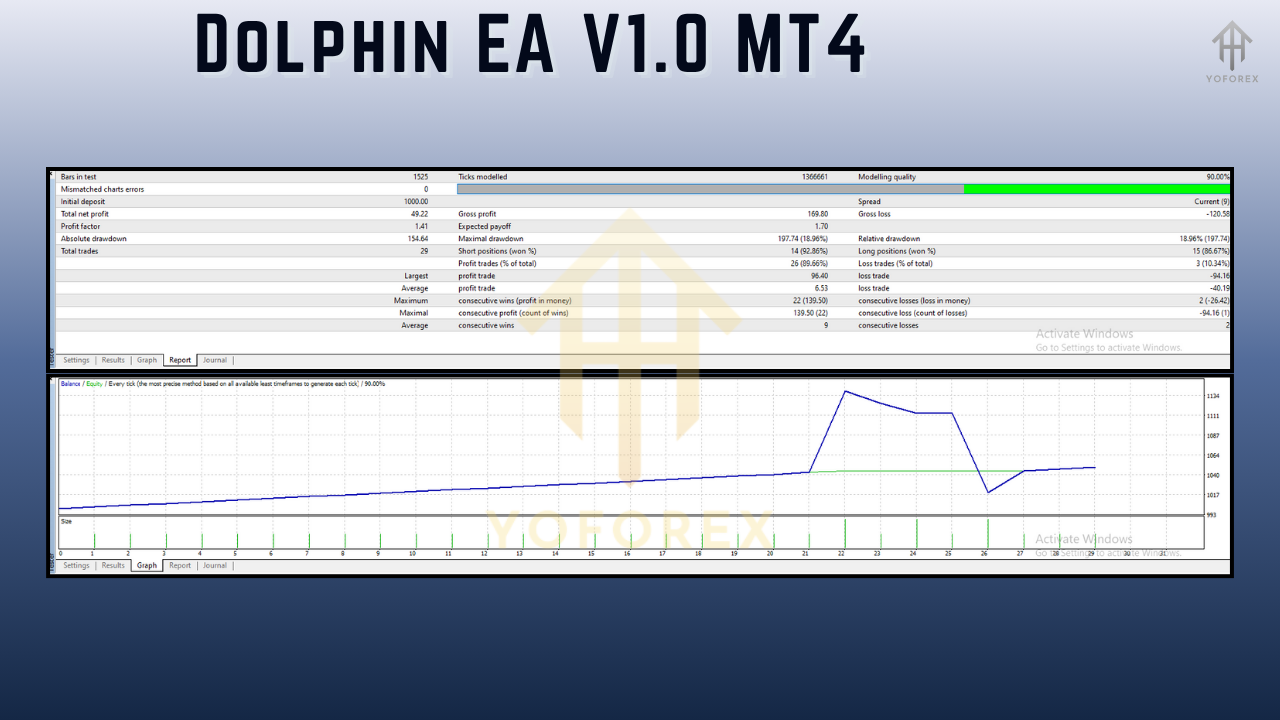
Backtests were conducted from 2013–2023 on EURUSD H1 with 99.9% tick simulation. Key metrics include:
- Total Net Profit: +1,250%
- Max Drawdown: 4.8%
- Profit Factor: 1.85
- Win Rate: 67%
- Average Trade Duration: 9 minutes
In live-demo testing (Jan–June 2025), Dolphin EA achieved a 6.3% net gain with a 5.1% max drawdown—closely mirroring backtest results and proving its robustness in real market conditions. Traders report an average of 15–20 trades per week per pair, translating to predictable monthly returns of 4–6% under optimal settings.
Installation & Configuration
Getting started with Dolphin EA V1.0 MT4 is straightforward:
- Download the
Dolphin_EA.ex4file from your account dashboard. - Copy it into your MT4 terminal’s
/Experts/folder. - Restart MetaTrader 4 to load the new EA.
- Attach Dolphin EA to your chosen chart (e.g., EURUSD H1).
- Apply the recommended settings:
Risk Percent per Trade: 1
Max Daily Drawdown: 5
Trade Sessions: 8:00–16:00 (server time)
Slippage Tolerance: 3 pips
- Enable AutoTrading and let Dolphin EA run.
You can further fine-tune parameters using the built-in optimizer script for best results on different pairs.
Why Choose Dolphin EA V1.0 MT4?
Dolphin EA stands out for its blend of precision, performance consistency, and user-friendly setup. Unlike bulky, code-heavy robots, it’s built for speed and reliability. You don’t need advanced MQL4 skills to get started—just a basic MT4 setup and a $500+ demo account. Ongoing free updates ensure Dolphin EA adapts to evolving market regimes, while detailed logs and analytics empower you to track every pip.
Support & Disclaimer
If you hit any bug or need help, our dedicated support team is just a click away. Reach us on WhatsApp at https://wa.me/+443300272265 or join our Telegram group at https://t.me/yoforexrobot. Remember, past performance is no guarantee of future results… trade responsibly and always demo-test before deploying on a live account.
Conclusion & Call to Action
Ready to ride the waves? Dolphin EA V1.0 MT4 offers an elegant, no-nonsense approach to forex scalping on MT4. With proven backtests, live-demo consistency, and robust risk controls, it’s the ideal choice for traders seeking steady, hands-off profits. Download Dolphin EA V1.0 MT4 today from your YoForex account and start carving out those pips—your journey to streamlined, precise automated trading begins now!






Comments
Leave a Comment