
Do IT EA V11.7 MT4 — Small Capital, Big Potential for Multi-Timeframe Trading
If you’ve been hunting for a practical MT4 expert advisor that doesn’t demand a huge starting balance, Do IT EA V11.7 MT4 is worth a serious look. It’s been positioned as a professionally engineered trading tool that you can run on a $100 account, while still giving you the flexibility to trade Forex majors, gold, and even indices… neat, right? The promise here is consistency and adaptability—across any timeframe—without turning your setup into a science project. In this guide, I’ll walk you through what it does, the kind of markets it’s designed for, how to install it, and the best-practice settings to keep your risk tight and your execution clean.
What Is Do IT EA V11.7 MT4?
At its core, Do IT EA V11.7 MT4 is a rules-based algorithm that automates entries, exits, and trade management for MetaTrader 4. It’s designed to be “timeframe-agnostic,” meaning you could drop it on M5 for more frequent opportunities or run it on H1/H4/D1 for swing-style setups. The headline appeal is simple: good performance on all timeframes with small capital compatibility (from as low as $100), so you’re not locked out if you’re trading a micro account or testing the waters.
The EA’s strategy logic blends trend confirmation with dynamic risk handling. You get standardized protective features (fixed SL/TP), plus optional “smart” tools like trailing stop, break-even, session filters, and spread/volatility gates so it doesn’t overtrade in bad conditions. In short, it aims to participate when market structure is favorable and step aside when spreads spike or price turns choppy. You’ll still want to test and optimize for your broker conditions, tho—coz spreads and execution quality really matter, especially on lower timeframes and fast-moving symbols like XAUUSD or SPX500.
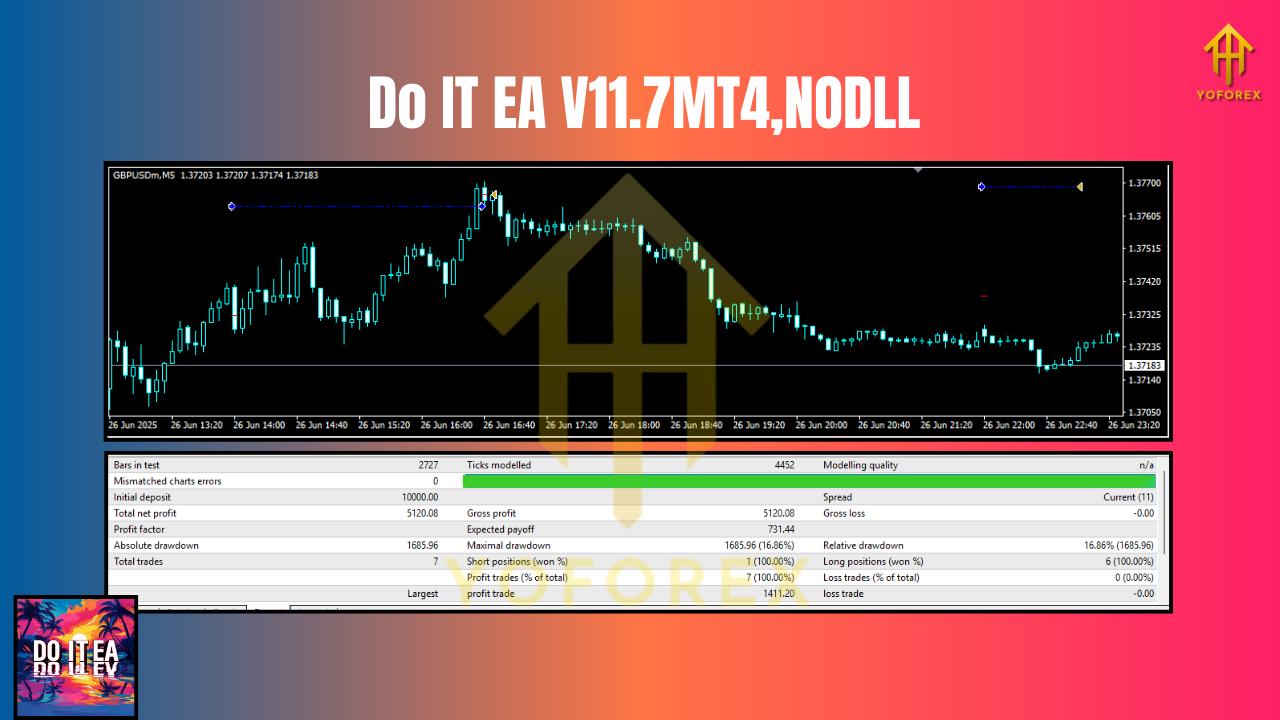
Supported Symbols & Timeframes
- Timeframes: Any (M1 through D1+).
- Scalping / intraday: M1–M15
- Swing / positional: H1–D1
- Currency Pairs: EURUSD, GBPUSD, USDJPY
- CFDs/Indices: SPX500, DAX30
- Metals: XAUUSD (Gold)
Tip: While the EA is designed to be multi-market, each symbol has its own “personality.” Gold can whip. SPX500 frequently trends during major sessions. EURUSD is usually spread-friendly. Dial risk per symbol accordingly.
Key Features You’ll Actually Use
- Timeframe-agnostic engine: Works on scalping or swing horizons—same EA, different pace.
- Small-capital friendly: Start from $100 with micro-lot sizing.
- Fixed or %-equity risk: Choose lot size modes: fixed lots, fixed % risk, or balance-based progression.
- Hard SL/TP with optional BE: Protective stops/targets, plus automatic break-even move when price stretches in your favor.
- Trailing stop (dynamic): Lock in gains as trends extend without micromanaging trades.
- Spread & slippage filters: Avoids opening new trades when conditions are too expensive or execution is unreliable.
- Session/time filters: Restrict entries to London/NY overlap or your preferred windows.
- News-time safeguard (optional): Pause entries around red-flag events if you prefer less chaos.
- Equity guardrails: Max daily loss cap and max open trades to protect from “death by a thousand cuts.”
- Magic-number aware: Clean multi-chart management so you can run several instances without cross-trade confusion.
- Alerts & logging: Clear on-chart status and journal logs for transparency and troubleshooting.
- Broker-agnostic design: Runs on most MT4 brokers; just match account type (hedging vs. netting), leverage, and minimum lot.
Recommended Settings (By Style)
These aren’t hard rules—use them as a starting point, then refine in backtests and a demo.
1) Conservative (New users / $100–$300 accounts)
- Timeframe: M15–H1 (EURUSD/GBPUSD/USDJPY)
- Risk per trade: 0.25–0.5%
- Lot size: 0.01–0.02 on micro accounts
- Trailing stop: On, moderate step (e.g., 10–20 pips on majors)
- Session filter: On (London + early NY)
- Max trades: 1–2 per symbol
- Spread filter: Tight (e.g., 15–20 points on 5-digit brokers)
Why: Keeps drawdowns gentle and lets the EA “breathe” on cleaner sessions.
2) Balanced (Intermediate / $300–$1,000 accounts)
- Timeframe: M5–H1 (add XAUUSD carefully)
- Risk per trade: 0.5–1%
- Trailing stop: On, adapt per symbol (gold requires wider room)
- Session filter: On, add small buffer around macro news
- Max trades: 2–3 per symbol
- Spread filter: Moderate (brokers differ—benchmark during live hours)
Why: Good mix of frequency and safety. Adds gold if spreads/latency are acceptable.
3) Aggressive (Experienced / fast execution + VPS)
- Timeframe: M1–M15 (majors + SPX500/DAX30)
- Risk per trade: 1–2% (know your limits)
- Trailing stop: On, tighter steps on indices in trend days
- Session filter: On (high-liquidity windows)
- Max trades: 3–5 per symbol (cap overall exposure)
- Spread filter: Strict; skip low-liquidity minutes around open/close
Why: Chases higher frequency; demands low spread, low slippage, and discipline.
Installation & Setup (MT4)
- Open MT4 → File → Open Data Folder.
- Navigate to MQL4 → Experts and copy the EA file (
.ex4or.mq4). - Restart MT4 (or right-click Expert Advisors → Refresh).
- Drag Do IT EA V11.7 onto your chosen chart and timeframe.
- In the Inputs tab, set your lot mode (fixed or %-risk), SL/TP, trailing rules, filters (spread/time/news).
- Check Allow live trading and, if used, Allow DLL imports.
- Click OK. The smiley face (top-right of chart) should turn active when AutoTrading is enabled.
Pro tip: Use one instance per symbol. If you run multiple charts, assign unique magic numbers so positions don’t clash.
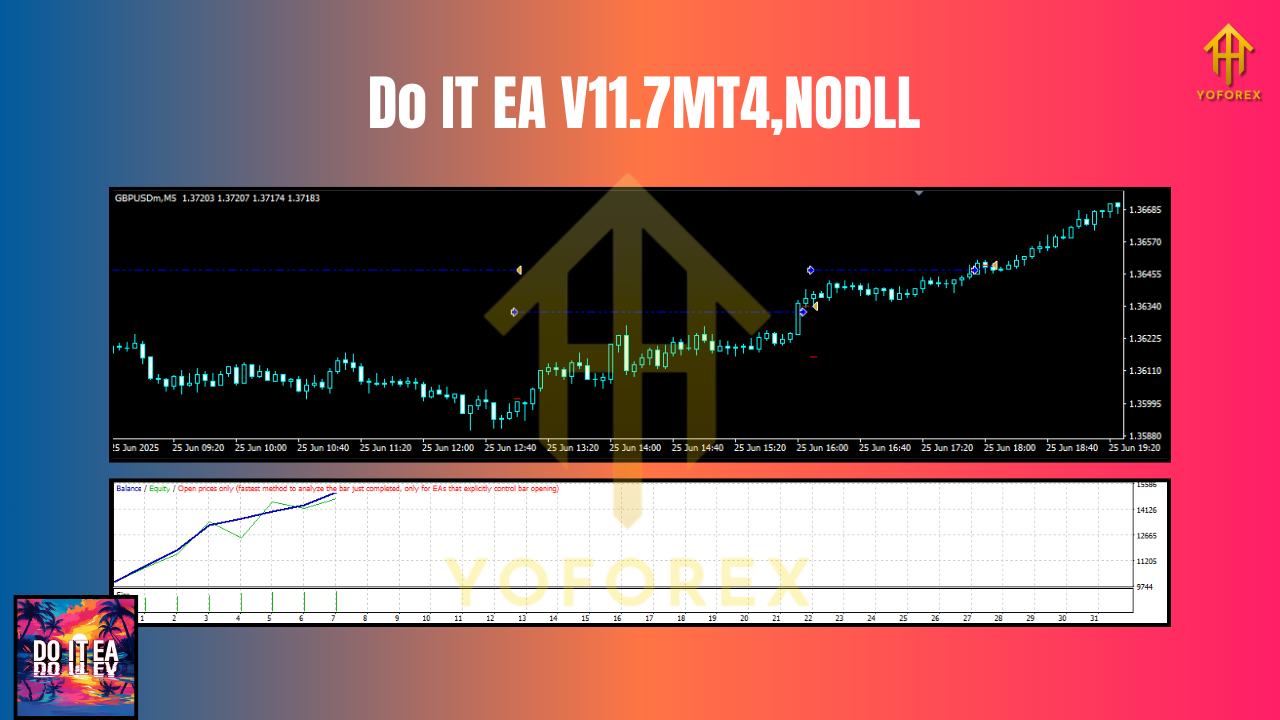
Backtesting & Optimization Tips
- Model quality: Use high-quality tick data when possible to better reflect spread/commission/slippage.
- Symbol-specific: Optimize per symbol and timeframe; don’t assume one size fits all.
- Walk-forward mindset: Avoid over-fitting. Validate settings on a different date range than you optimized.
- Include costs: Add realistic commission and slippage in the Strategy Tester.
- Session logic: If your broker’s spreads widen on rollover, use time filters to avoid it.
- Stress tests: Try volatility spikes (e.g., NFP weeks) to see how equity curves behave under pressure.
Risk Management That Actually Matters
- Keep position size small relative to your equity—especially on gold and indices.
- Use a daily drawdown limit (e.g., 2–3%) to cut bad days short.
- Consider a VPS for 24/5 uptime and lower ping to the broker (helps on M1–M5).
- Diversify across symbols—but don’t over-correlate (EURUSD & GBPUSD move together often).
- Start demo → then go small live → scale as your confidence grows.
Who Is It For?
- Newer traders who want a contained, rules-based way to start with a small balance.
- Intermediate users who like to tinker with risk modes and session filters.
- Experienced scalpers with low-latency setups who want more frequency across majors, gold, or indices.
Final Take
Do IT EA V11.7 MT4 is a flexible expert advisor that doesn’t lock you into one style. You can scalp majors, swing trade gold, or follow momentum on indices—with one tool and a sensible risk plan. The hook is compelling: start small, scale smart, and let the EA manage the grunt work while you keep the risk rails on. As always, past performance doesn’t guarantee future results—demo thoroughly, record your tweaks, and make decisions you can live with.
Join our Telegram for the latest updates and support






Comments
Leave a Comment